
Handle Jira tasks and issues in one place
Create, update, and track Jira issues directly in Slack or Microsoft Teams. Our Jira integration works with Conclude Apps, Connected Apps and Jira Cloud with automatic two-way syncing. Turn any message into a ticket using the ticket emoji.
Replies, updates, and status changes are reflected across Slack, Teams, and Jira – you can connect all three for cross-platform ticketing.
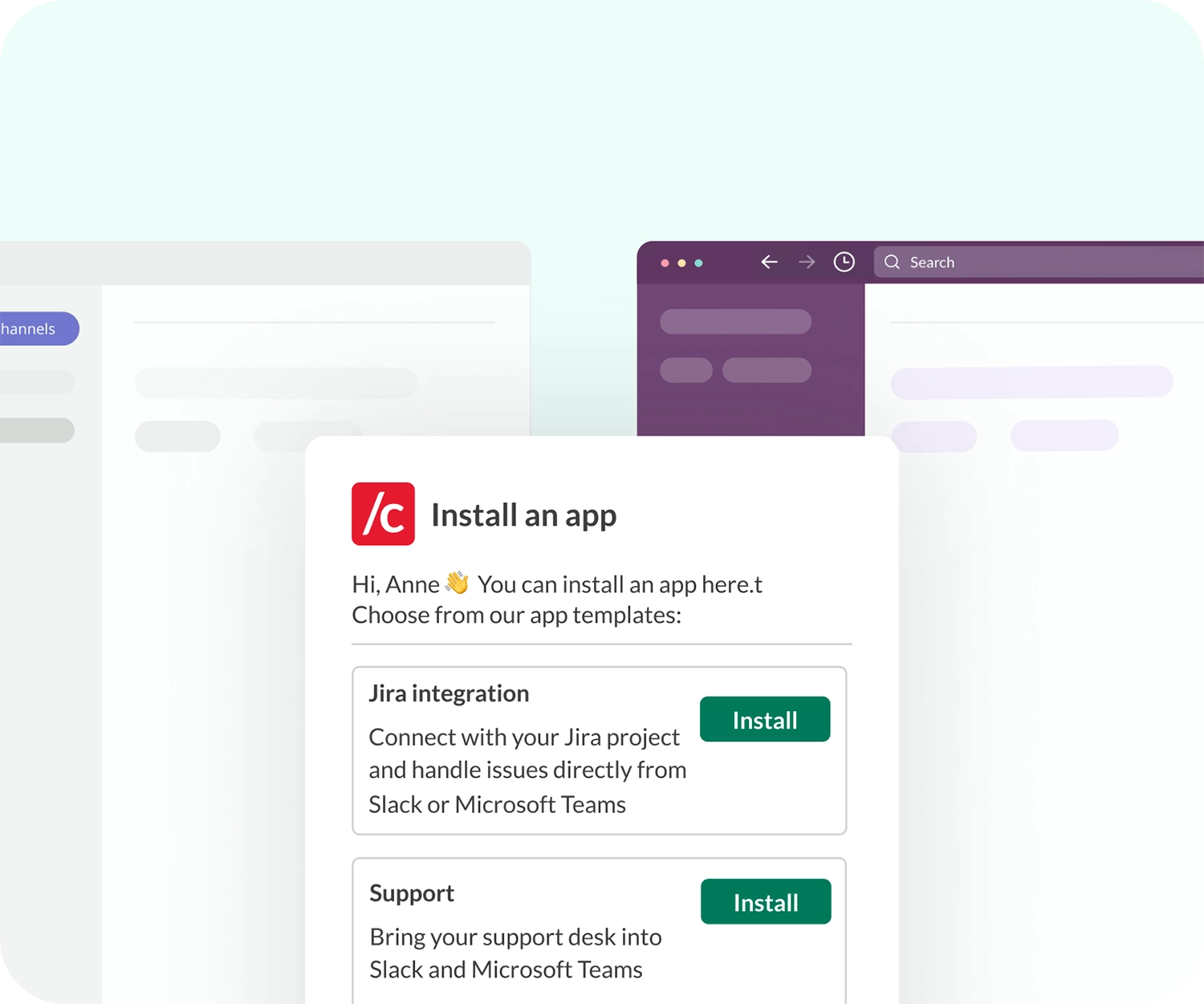
Create Jira tickets from Slack or Teams
Conclude lets you create Jira tickets from Slack or Teams without leaving your messaging platform of choice. Activate the integration, install a Conclude app, connect your Jira project, and start creating tickets immediately.
All updates in Jira – including comments and status changes – are automatically synced back to your channel in real-time.
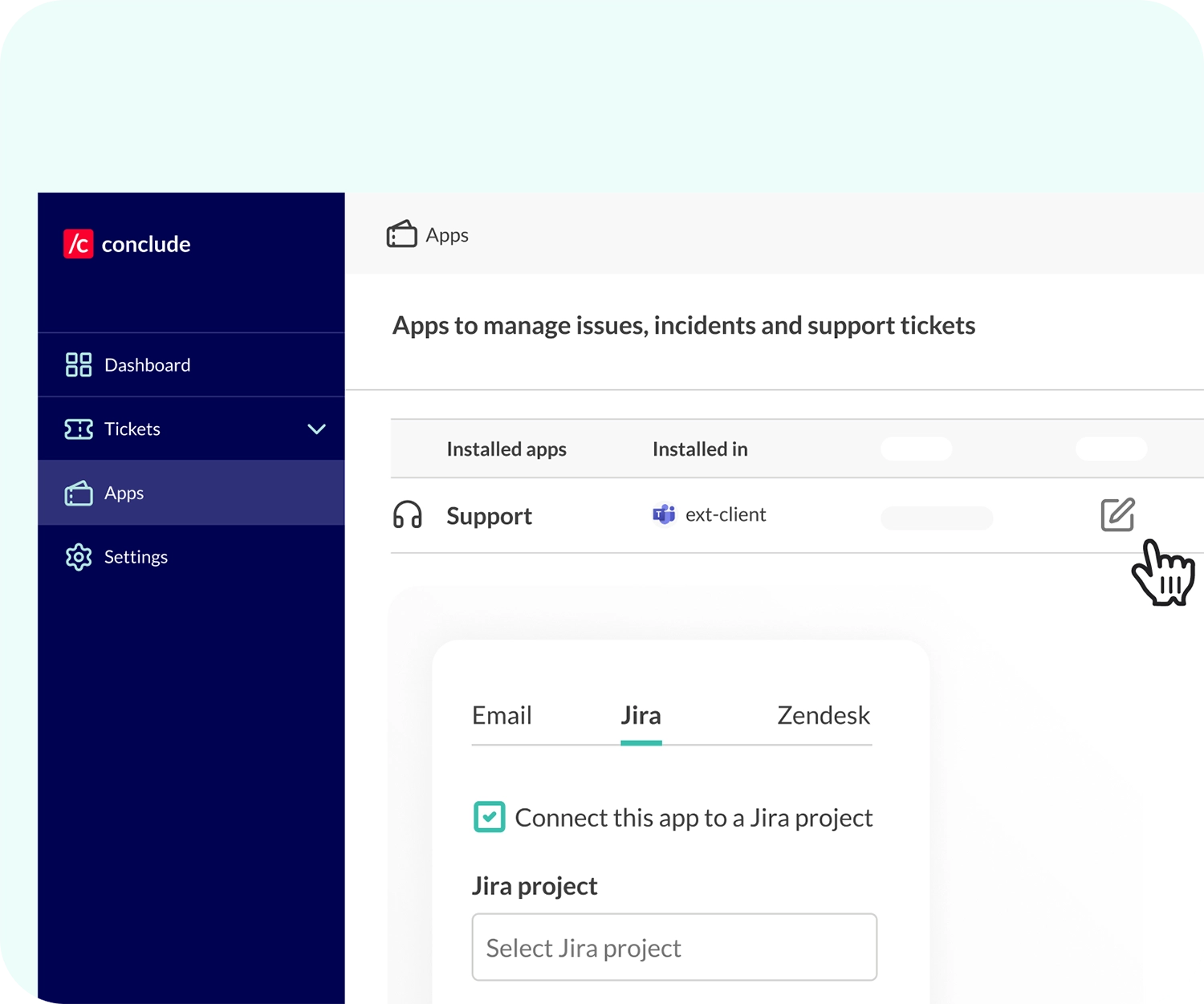
Customizable setup and secure syncing
You have full control over how you connect Jira to Slack or Microsoft Teams. Customize the app settings from the web dashboard to match your workflows.
Whether you’re managing bugs, support tickets, or internal requests, all data is handled securely and meets strict privacy and protection standards.
Get started with Jira and Conclude

1 - Activate the integration from the Admin console, then follow the setup wizard

2 - Authorize Conclude, enter your Jira subdomain and accept permissions in Atlassian

3 - Install a Conclude app, using any template and select your Slack or Teams channel

4 - Connect the app to a Jira project, and select your project from the dropdown

5 - Complete the setup by adding a Jira integration account and saving your changes

6 - For more information, see the Jira Quickstart Guide
Use cases by teams
Challenge: juggling coding, bug tracking, and feature requests
Benefits: streamline task management and bug tracking inside Slack or Microsoft Teams, reducing context switching and allowing teams to focus on development work.
Developers can discuss issues in either platform, and the details will be automatically updated in Jira, saving time and reducing errors.

Challenge: efficiently tracking customer issues and feedback
Benefits: create and update Jira tickets directly from Slack or Microsoft Teams as customer issues arise. Ensure customer queries and feedback discussed in either platform are logged accurately in Jira.
The seamless transfer of information enhances the quality of responses and customer satisfaction.

Challenge: managing a high volume of IT support tickets and system updates
Benefits: instantly sync IT support tickets and updates between your messaging platform and Jira, enhancing response times and operational efficiency.
Updates from Slack or Teams are directly reflected in Jira, ensuring all team members have the latest information without manual intervention.

Challenge: keeping project timelines, resources, and stakeholders aligned
Benefits: simplify project tracking and updates, ensuring all team members are aligned without leaving Slack or Microsoft Teams.
Discussions about project changes or updates sync with corresponding Jira tickets, maintaining alignment across all platforms.