
Work with customers and clients on Slack and Teams
Manage client communication on Slack and Teams using one invite per channel connection. Connect both tools with two-way channel and chat synchronization, messaging, and file sharing.
Learn more about the different ways to set up Slack and Teams for client communication here. Looking for a deeper integration? Conclude Bridge connects workspaces and tenants with one invite.
External connections setup guide

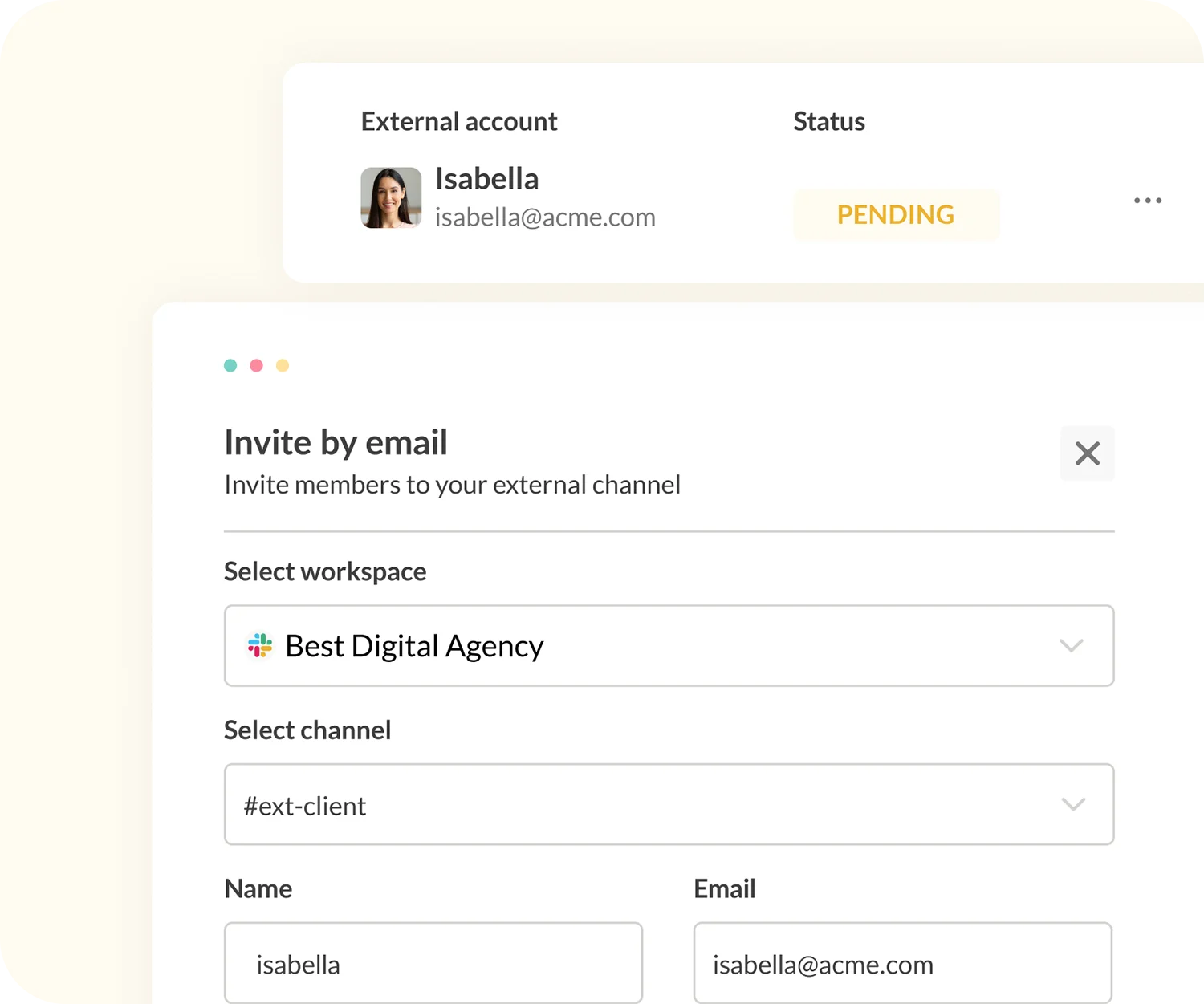
Collaborate in a shared channel on Slack and Teams
Invite collaborators to work in a shared channel and align all your communication in one place. Never miss a key decision, update, or issue again.
Use Conclude to connect Teams chats and Slack channels with a secure integration that keeps everything in sync. External collaborators do not require a Conclude licence to participate.
Key features
- Send and receive messages
- Edit and delete messages
- Sync threaded messages
- Customizable file sharing
- Use @mentions for collaborators
- Synced reactions (when signed in)
- Connect channels and chats on Slack and Teams
- Create new Teams chats and connect with Slack channels
- Use emojis (inside messages)
- Rich text formatting

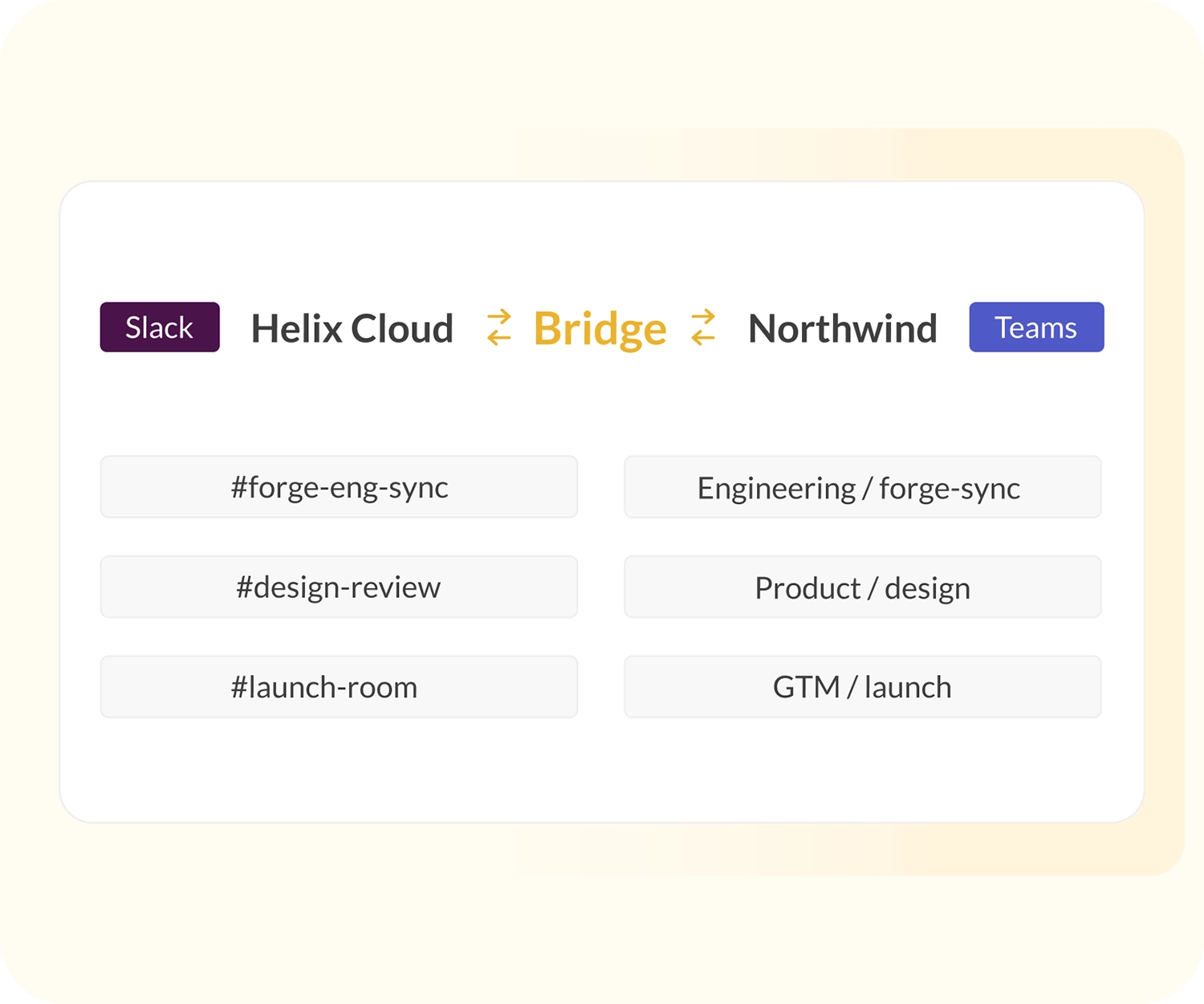
Set up a company-to-company bridge
For companies with established partner ecosystems, or those navigating mergers and acquisitions and multi-team deployments, Conclude’s Slack-Teams bridge is a scalable solution.
One admin invite can links different workspaces and tenants between companies, allowing multiple channels to be connected.

Cross-team ticketing and collaboration
Whether you need to connect teams across your organization, or align with clients and other companies, Conclude has a solution.
As well as chat and channel connections, Conclude also offers cross-platform ticketing solutions for Slack and Teams, with Jira and Zendesk integrations. See Conclude Apps and Connected Apps for more.