# Message syncing
> Configure message headers and sync partial or complete threads once Conclude is added to your workspace and channels are connected
Canonical HTML page: https://conclude.io/doc/developer/message-syncing/
Last updated: 2026-02-26
---
## Message headers and thread syncing
Conclude Connect lets you customize how message headers are displayed and how messages sync between Slack and Microsoft Teams across connected channels or chats.
You can configure these settings in **Admin console > Configuration**.
The **Configuration** page uses tabs for different settings: **Security**, **Connections**, **Internal connections**, and **External connections**. This guide explains the available options and how they work.
### Message headers
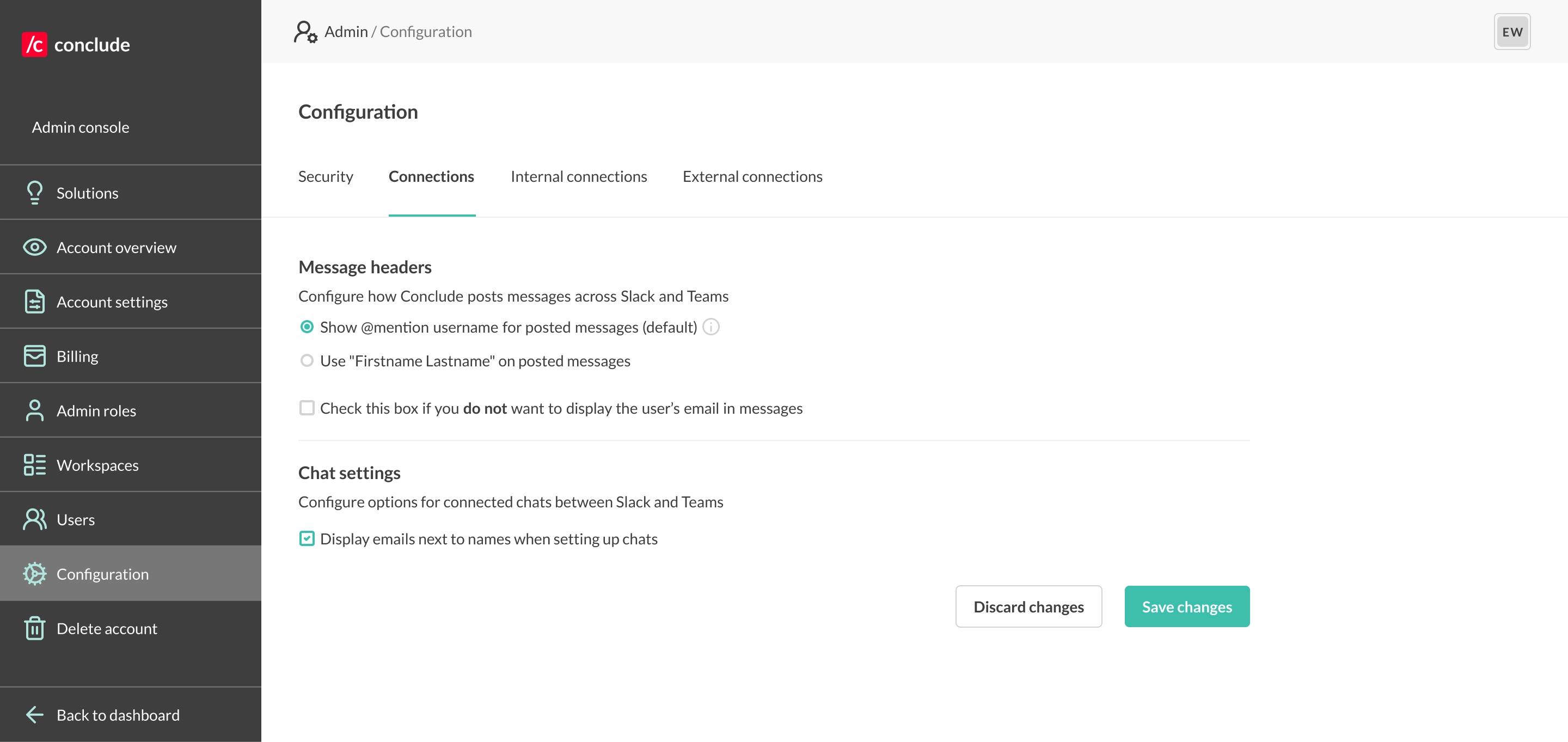
Adjust these settings in **Admin console > Configuration > Connections.**
Message headers are the section of text that includes the person’s name and other identifying information on Slack or Teams. How much information is shown can be configured, including:
* Show @mention username for posted messages (default)
* Display the first and last name of the user
* Show or hide user email addresses (check or uncheck the box)
 ### Message syncing (previous threads)
Configure how **threads are synced** between Slack and Teams from *before* Conclude was installed in either workspace. For file and image sharing settings, including attachment policies, [read more here](https://conclude.io/doc/developer/file-image-sharing/).
Message sync settings can be applied globally or tailored by connection type, giving organizations precise control over how information flows across platforms when using **internal connections** (for company-wide, cross-team communication) or **external connections**, with partners, vendors, or clients.
#### Internal connections
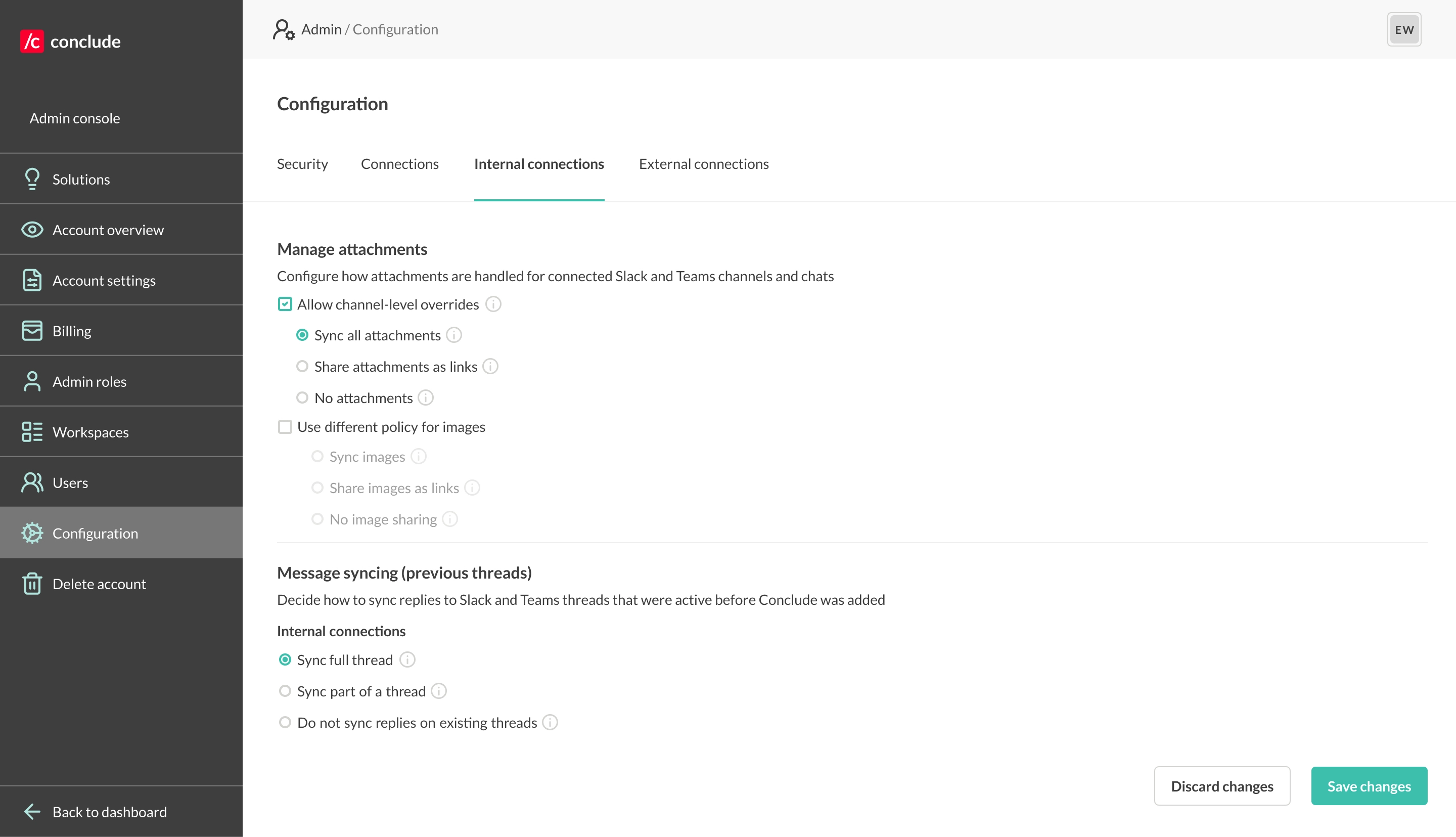
From **Admin console > Configuration > Internal connections**, you can:
* **Sync full threads (default)** – so everyone has the complete conversation history
* **Sync part of a thread** – send the thread’s first message for context, then all new replies will be synced
* **Don’t sync replies on existing threads** – a message will appear saying that syncing isn’t possible
By default, **internal connections will sync full threads.** This feature enables internal collaborators to catch up quickly.
### Message syncing (previous threads)
Configure how **threads are synced** between Slack and Teams from *before* Conclude was installed in either workspace. For file and image sharing settings, including attachment policies, [read more here](https://conclude.io/doc/developer/file-image-sharing/).
Message sync settings can be applied globally or tailored by connection type, giving organizations precise control over how information flows across platforms when using **internal connections** (for company-wide, cross-team communication) or **external connections**, with partners, vendors, or clients.
#### Internal connections
From **Admin console > Configuration > Internal connections**, you can:
* **Sync full threads (default)** – so everyone has the complete conversation history
* **Sync part of a thread** – send the thread’s first message for context, then all new replies will be synced
* **Don’t sync replies on existing threads** – a message will appear saying that syncing isn’t possible
By default, **internal connections will sync full threads.** This feature enables internal collaborators to catch up quickly.
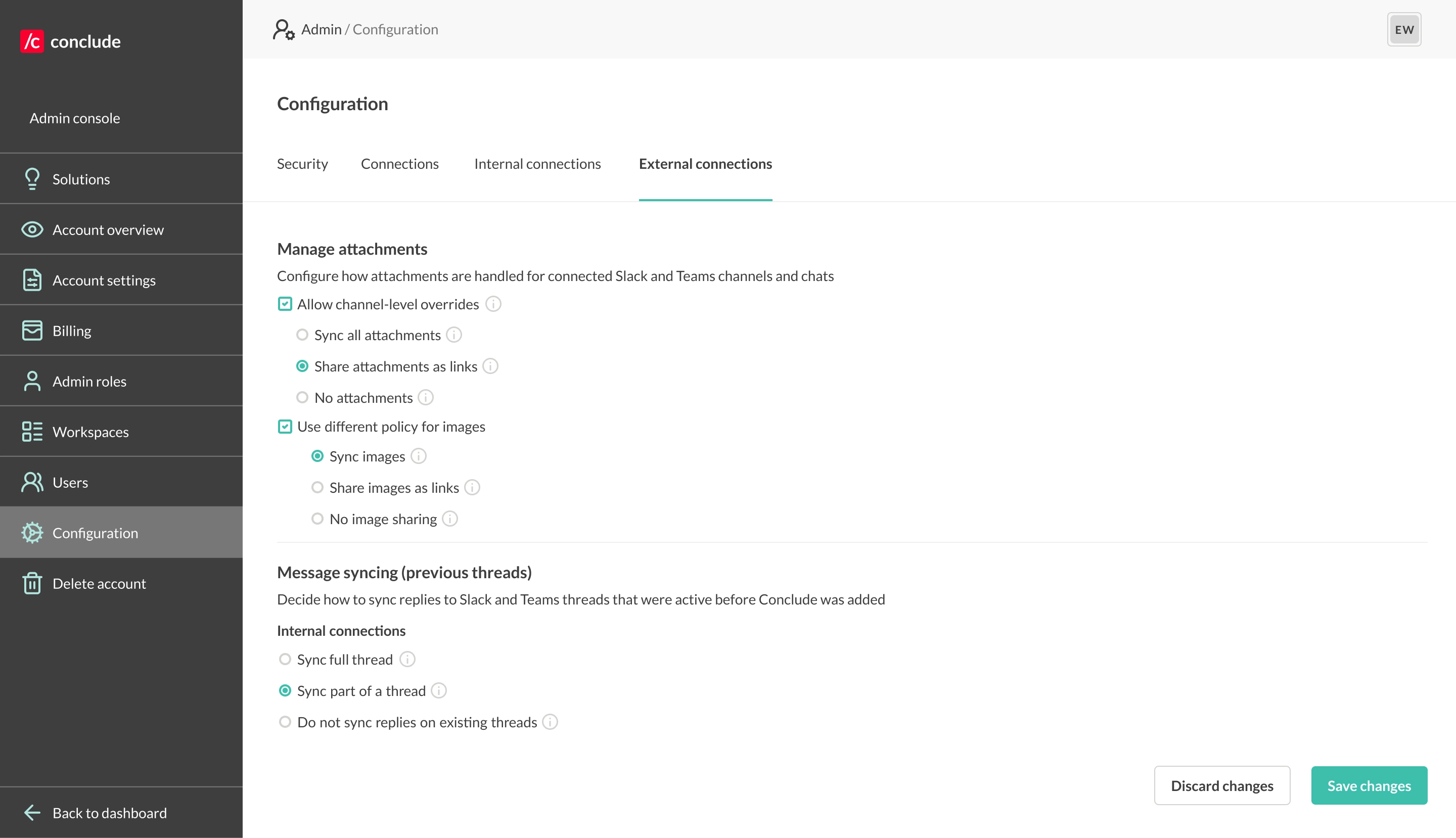
 #### External connections
Adjust thread syncing for external connections:
* **Sync full threads** – full context is preserved across both platforms
* **Sync part of a thread** **(default)** – the thread’s first message is shared for context, then all new replies are synced
* **Don’t sync replies on existing threads** – a message will appear saying that syncing isn’t possible
Messages with external connections will only **sync part of the thread** unless this setting is changed. This feature gives you more control over information sharing, so external contacts see what’s relevant.
#### External connections
Adjust thread syncing for external connections:
* **Sync full threads** – full context is preserved across both platforms
* **Sync part of a thread** **(default)** – the thread’s first message is shared for context, then all new replies are synced
* **Don’t sync replies on existing threads** – a message will appear saying that syncing isn’t possible
Messages with external connections will only **sync part of the thread** unless this setting is changed. This feature gives you more control over information sharing, so external contacts see what’s relevant.