How to Unite Teams Across Slack and Microsoft Teams During Mergers and Acquisitions
 Conclude Team
 Sian Bennett
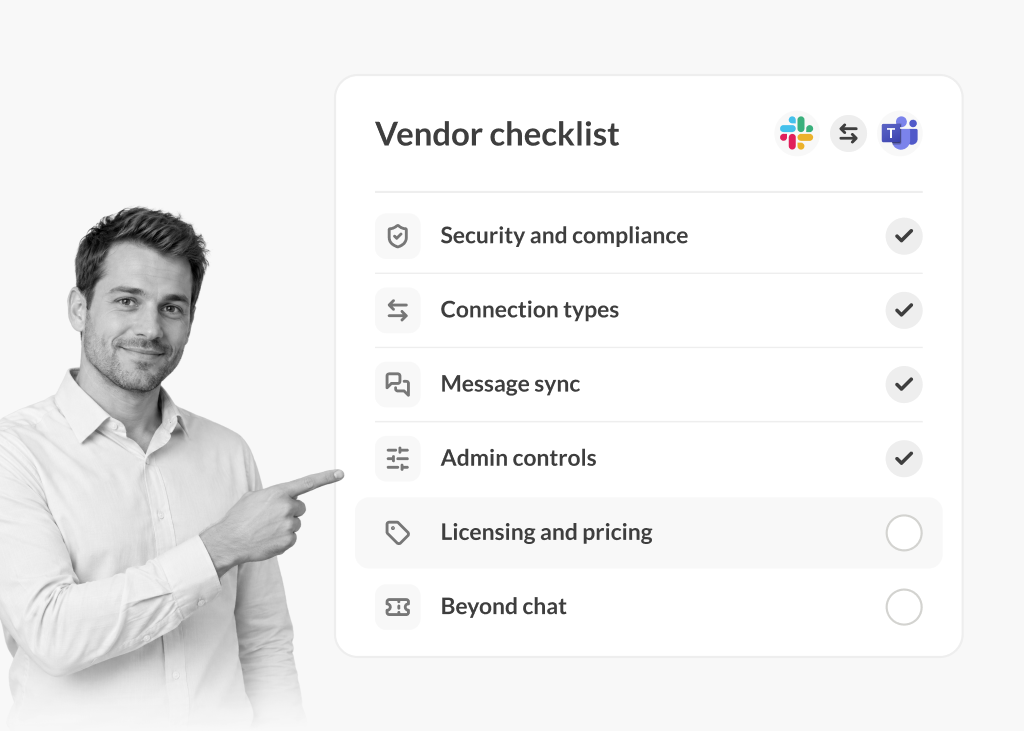
Mergers and acquisitions are complex, and communication is often one of the first areas to feel the strain. When two organizations merge, they rarely start with the same communication tools; one company may rely on Slack, the other on Microsoft Teams, and leaders are quickly faced with the need to connect both platforms, even though changing tools is rarely possible in the early stages of an acquisition.
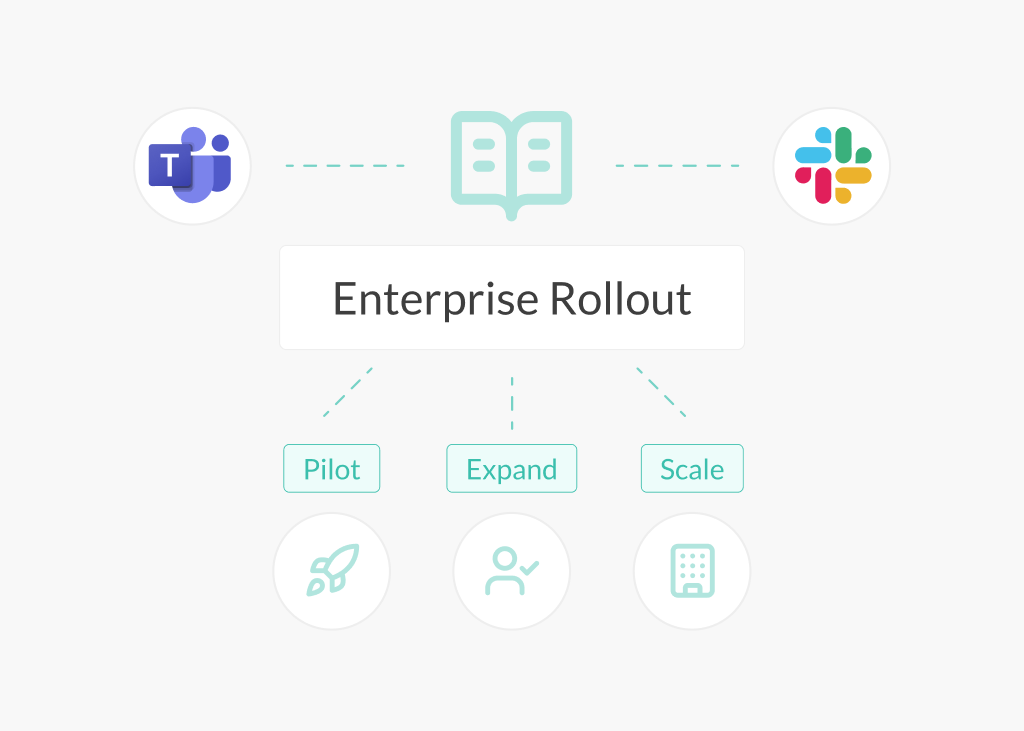
In most M&A scenarios, integration typically involves multiple departments, dozens or even hundreds of shared channels, and collaboration that evolves over months rather than days. During this period – from pre-close through Day 1 and beyond – teams still need to collaborate effectively. Without a way to connect Slack and Microsoft Teams, conversations become duplicated, updates are missed, and context is lost across platforms. Organizations need an effective way to connect teams quickly, securely, and at scale.
This is where Conclude Bridge comes in. Bridge is built for organizations managing M&A integrations, providing a company-level connection between Slack and Microsoft Teams. Each team can continue using their preferred platform while communication stays aligned.
In this guide, we look at what typically happens to communication tools during an M&A and why connecting platforms is often the first practical step.
Going through an M&A integration process? Conclude Bridge can help you unify teams at scale. Get started for free.
Why Communication Breaks During Mergers and Acquisitions
This scenario is common: acquired companies often run on Slack, while parent companies operate on Microsoft Teams (or vice versa). Both platforms have deep roots in their respective organizations and teams have built workflows and established habits around their preferred tool.
When two companies merge, teams end up split across platforms at a critical moment. Engineering teams stay on Slack, while operations and leadership may remain on Teams. This creates immediate M&A integration challenges, even before any broader system decisions are made.
Important updates get duplicated or lost because teams can’t see each other’s conversations in real-time. An important decision made in a Slack channel doesn’t reach the Teams side immediately. An IT or security update posted in Teams may go unseen by the Slack-based teams. Employees may waste hours switching between tools just to stay updated, or resort to email as a workaround.
Leaders also lack a complete view of what’s happening across both organizations. Decisions are made without full visibility, coordination slows, and integration work becomes more difficult than necessary during an already high-pressure period. The entire organization slows down because the communication bridge is missing.
The Real Cost: Siloed Teams, Slower Integration
Cross-platform silos during mergers and acquisitions create real business costs, not just inconvenience. Research by Bingham et al. (2024) shows that communication is critical when companies merge. BCG research highlights how the right technology platforms accelerate decision-making during integration. Here’s how this plays out:
Loss of institutional knowledge – important context from engineering, IT, security, and support remains locked in channels that only part of the organization can access. New team members lack visibility into past decisions, and leaders cannot easily trace how outcomes were reached.
Operational delays and decision bottlenecks – teams wait for updates posted in tools they do not use. Leaders resort to copying messages or using email to reach both sides. Coordination across departments becomes slower, pushing integration timelines out further. PwC found that clear communication during integration helps teams stay compliant and make decisions quickly.
Workflow disruption and resistance – forcing teams to change collaboration tools mid-integration can disrupt established workflows, automations, and incident processes. This creates friction, slows execution, and increases resistance at a time when stability matters.
Email as a workaround – when chat platforms don’t speak to each other, email fills the gap. This reintroduces compliance risks, audit trail gaps, and inefficiencies that modern collaboration tools were designed to eliminate.
Burnout and morale impact – M&A periods are already demanding. Managing conversations across multiple tools increases cognitive load, leads to errors and duplicated work, and contributes to lower morale during a critical integration phase. Learn more about how context switching kills productivity.
Approaches to Bridging the Gap: A Comparison
When facing cross-platform communication challenges during M&A, three main approaches emerge:
Approach | Pros | Cons |
Standardize on one tool (Slack or Teams) | Simple, seems unified (on paper) | Unrealistic for cross-org teams; disrupts deep workflows on Slack or Teams; creates strong resistance from tech teams; slows integration; forces unnecessary change during high-pressure periods |
Platform switching (use both Slack and Teams) | Access to both messaging platforms (more visibility) | Error-prone; unsustainable; creates silos and compliance gaps; wastes time (includes more manual copy/paste updates); increases shadow IT risk |
Conclude Bridge | Connects organizations at the company level; unlimited channel connections without repeated invitations. Communication stays synchronized in real-time between Slack and Teams. Reduces admin overhead as more teams and workflows are added over time. | Requires initial admin configuration |
The first two approaches create more problems than they solve. A company-level solution like Conclude Bridge addresses the core challenge by enabling real-time collaboration at scale, without requiring migration or ongoing manual coordination.
How Conclude Bridge Solves M&A Communication Challenges
Traditional external collaboration tools work well when teams only need to connect a few channels with a client or partner. Mergers and acquisitions operate at a different scale. As collaboration expands across departments, projects, and business units, repeatedly setting up individual connections becomes difficult to manage.
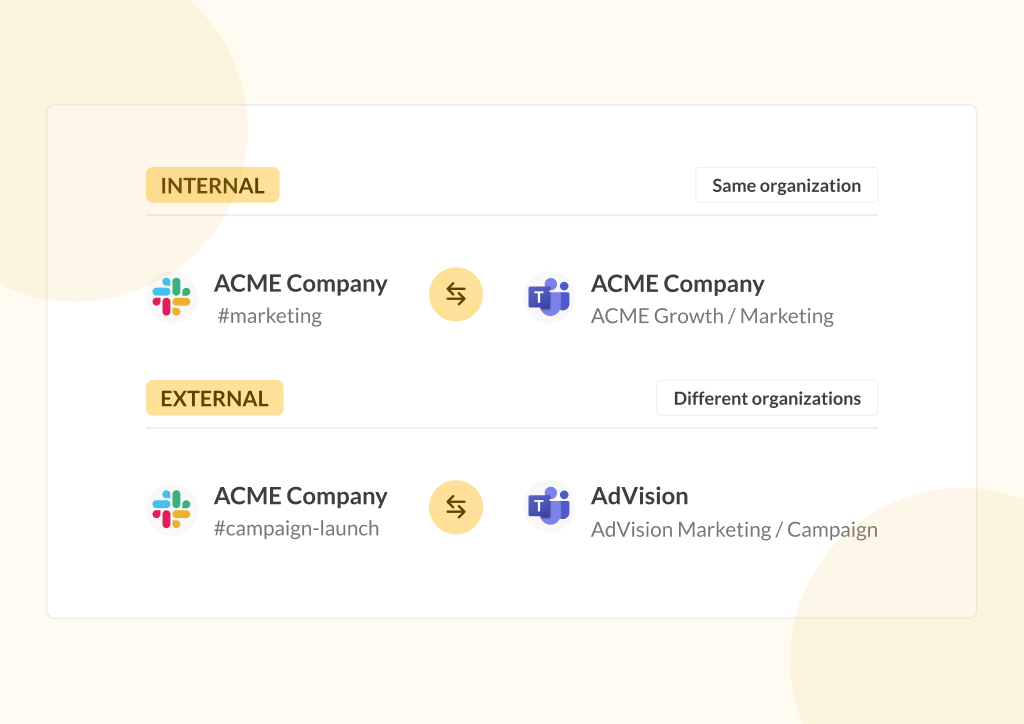
Bridge is designed specifically for this type of environment. It introduces a company-level connection between two organizations, allowing teams to collaborate across Slack and Microsoft Teams without managing each connection individually.
Instead of creating separate channel connections one by one, Bridge establishes a trusted relationship between two organizations through a single invitation first. Once that connection is in place, both sides can independently create and manage as many channel connections as needed, without repeating the full setup process.
As collaboration grows across departments, projects, and business units, new channel connections can be created whenever they’re needed, without additional invitations or administrative overhead.
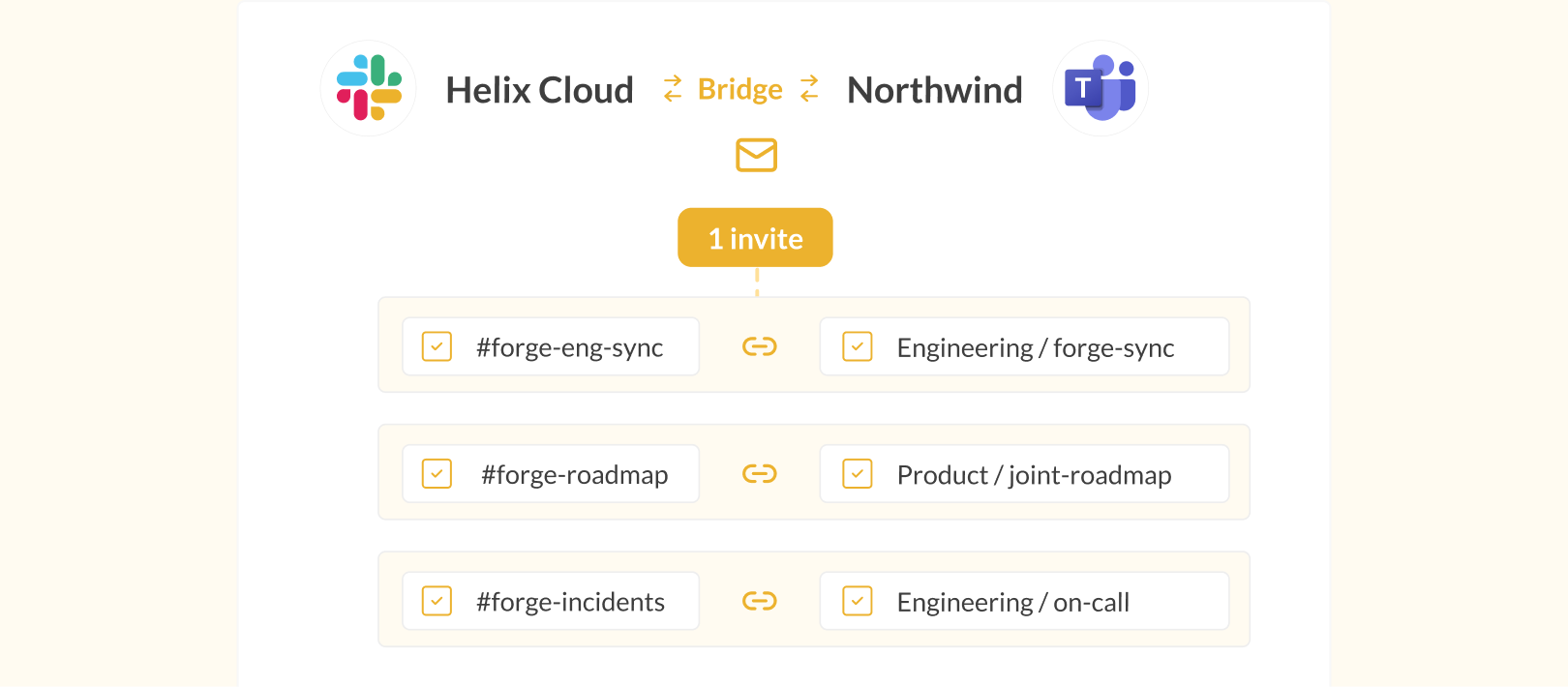
Conclude Bridge supports this approach by:
Handling M&A at the right scale – It’s designed for organizations bringing entire teams and departments together, rather than connecting a limited number of shared channels and chats
Establishing a single organizational connection – Administrators create a trusted relationship between both companies once, so teams don’t need to repeat setup steps every time collaboration expands
Allowing connections to grow naturally – As new teams begin working together, they can connect additional Slack and Microsoft Teams channels without adding complexity or repetitive invitations
Giving each organization control – Both sides can create and manage their own channel and chat connections independently, without relying on the other company for every change
Supporting cross-company chats – Teams can start group conversations across connected companies, with admin controls over chat access and message syncing across both platforms
Keeping communication aligned in real time – Messages continue to sync instantly across platforms, so teams stay coordinated as they work from their own platform
Maintaining governance as collaboration scales – Security, compliance, and granular administrative controls for files, images, and message syncing remain in place, even as more teams and use cases are added
Conclude Connect is SOC2 Type II and HIPAA compliant and supports regulated environments (e.g., healthcare, finance, and government), reducing reliance on email and lowering compliance and audit risks during integration.
Real-World Benefits and Use Cases
Mergers and acquisitions
When two companies merge, getting people communicating quickly matters. Bridge lets IT administrators connect both organizations at the workspace or tenant level from Day 1, allowing teams to collaborate in Slack and Microsoft Teams without waiting for a full platform migration.
This approach helps organizations:
- Coordinate Day 1 activities across IT, HR, leadership, and integration teams without relying on email or duplicated updates
- Give executives and integration managers visibility across both organizations while allowing teams to continue working in their preferred platform
- Expand collaboration naturally as more departments, projects, and business units begin working together, without repeated setup or approvals, helping prevent the silo mentality that often emerges during large organizational change. Learn more about silo mentality in the workplace
Partner ecosystems
Long-term partnerships often require collaboration across multiple teams, projects, and shared channels. Rather than creating a new connection every time another team needs to collaborate, Bridge lets organizations establish a trusted relationship once and add new channel connections as the partnership grows.
This makes it easier to:
- Share updates, documentation, and decisions across organizations while keeping conversations synchronized
- Support cross-functional collaboration between engineering, product, customer success, and operations teams
- Reduce administrative overhead by eliminating repeated invitations as new projects begin
Agency-client relationships
Agencies, consultancies, and other service providers often work with the same clients across multiple projects over months or years. As these relationships grow, collaboration needs to scale without adding unnecessary setup or administrative overhead. Bridge allows workspaces or tenants to be connected upfront, making it easy to create new shared channels whenever new work begins.
This helps agencies:
- Launch new client projects without repeating workspace approval processes
- Keep client conversations organized in dedicated channels while maintaining security and governance
- Scale long-term client relationships without adding friction for either organization
For more best practices on working across Slack and Microsoft Teams, explore our guide to effective agency-client collaboration across Slack and Teams.
To see how to set up Bridge across Slack and Microsoft Teams, follow the Step-by-step Bridge Quickstart Guide.
Support Tickets and Issue Management Tools
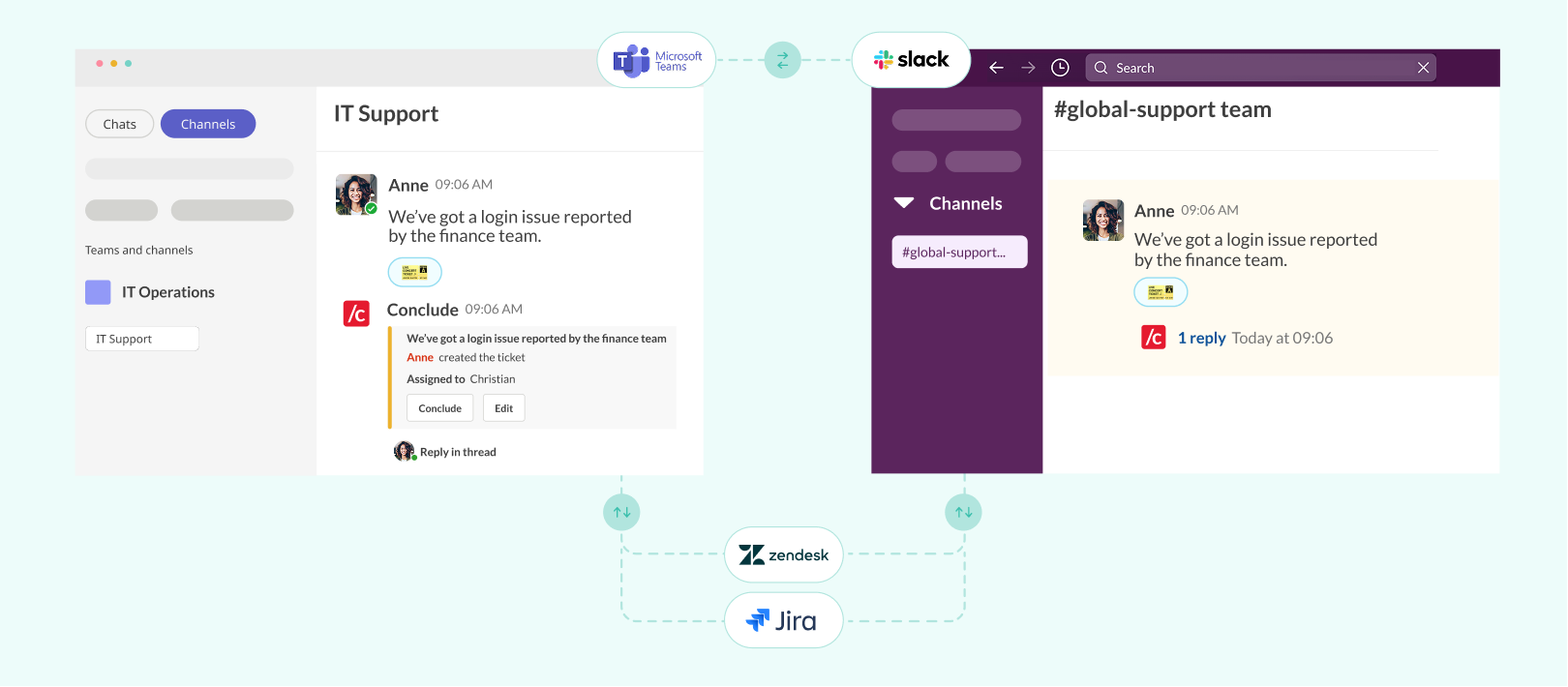
While ticketing systems like Jira and Zendesk are important, they are rarely the first blocker during an acquisition. The bigger challenge is communication around tickets – updates, clarifications, escalations, and status changes across Slack and Microsoft Teams.
Bridge solves this by addressing the collaboration layer first. By connecting both organizations at the platform level, teams can share updates, discuss issues, and coordinate work in real time, without needing to consolidate ticketing systems upfront.
For organizations that need deeper integration, Conclude also supports conversational ticketing through Conclude Apps, with integrations for tools like Jira and Zendesk. This allows teams to manage and track tickets directly within Slack or Microsoft Teams, while keeping both systems aligned. When used together with Bridge, Apps can run across connected Slack and Teams channels through Connected Apps, extending ticketing workflows across both platforms without changing how teams work.
Ticket updates are visible where teams already work, while allowing organizations to delay system-level decisions until later in the integration process. Learn more about how Connected Apps link Slack and Microsoft Teams for cross-platform ticketing.
Connect Teams Before Consolidating Tools
Successful M&A integration depends on collaboration before consolidation. Teams need to work together from Day 1, even if their systems are not yet aligned.
Organizations shouldn’t have to migrate collaboration platforms before people can communicate. Forcing early standardization slows integration, creates resistance, and adds unnecessary risk during a critical period.
Conclude Bridge takes a different approach: by connecting two organizations at the platform level, teams can start collaborating immediately and expand that collaboration naturally over time. New teams, projects, and departments can connect as needed, without repeating setup or disrupting existing workflows.
This gives leaders the visibility they need across both organizations, while allowing individual teams to continue working in the tools where they are most productive. Instead of rushing consolidation, organizations can focus on coordination, alignment, and execution.
Learn how to implement Bridge and enable cross-platform collaboration from Day 1 with our Bridge Quickstart Guide.
Ready to see it in action? Get started with a free 14-day trial.
Frequently Asked Questions
How do companies integrate Slack and Microsoft Teams during a merger?
In practice, many teams either standardize on one platform or rely on workarounds like copying updates and using email. A more scalable approach is to use a company-level solution like Conclude Bridge, which connects two organizations without requiring migration. This allows teams to collaborate immediately while supporting collaboration that can expand naturally across departments over time.
Should we migrate to one chat platform during an M&A or connect them first?
In most cases, connecting platforms first is the safer option. Migrating during an M&A disrupts workflows, breaks automations, and creates resistance among teams. Solutions like Conclude Bridge allow organizations to connect Slack and Microsoft Teams at the organizational level, so teams can collaborate immediately while migration decisions are made later.
What are the biggest communication challenges during post-merger integration?
Teams are split across Slack and Microsoft Teams, updates are duplicated or missed, and leaders lack a shared view of decisions. This leads to heavy context switching, email workarounds, and slower integration. Conclude Bridge addresses this by connecting organizations once and enabling teams to collaborate immediately, without repeated setup as collaboration expands.
Can Slack and Microsoft Teams be connected without moving chat history?
Yes. Using Conclude Bridge, channels and chats can be connected with no history, partial history, or a single context-setting message. This lets teams collaborate immediately without migrating past conversations.
Is connecting Slack and Teams secure and compliant during an acquisition?
Yes, when done through a compliant solution. Conclude Bridge supports enterprise-grade governance and is SOC 2 Type II and HIPAA compliant, helping organizations maintain security, compliance, and auditability during integration.
How quickly can teams communicate across Slack and Teams after Day 1?
Immediately. Once the organizational bridge has been established, teams can begin creating channel connections right away without repeating organization-level approvals. Messages then sync in real time, allowing teams to collaborate from Day 1 without migration or workflow disruption.
Can employees chat directly across Slack and Microsoft Teams after a merger?
Yes. Once the organizational bridge has been established, employees can communicate across Slack and Microsoft Teams through both shared channels and cross-company chats. This helps teams start collaborating immediately while continuing to use the platform they’re already familiar with, without waiting for a full migration.