Connected Apps: Chat and Ticketing Unified Across Slack and Microsoft Teams
 Sian Bennett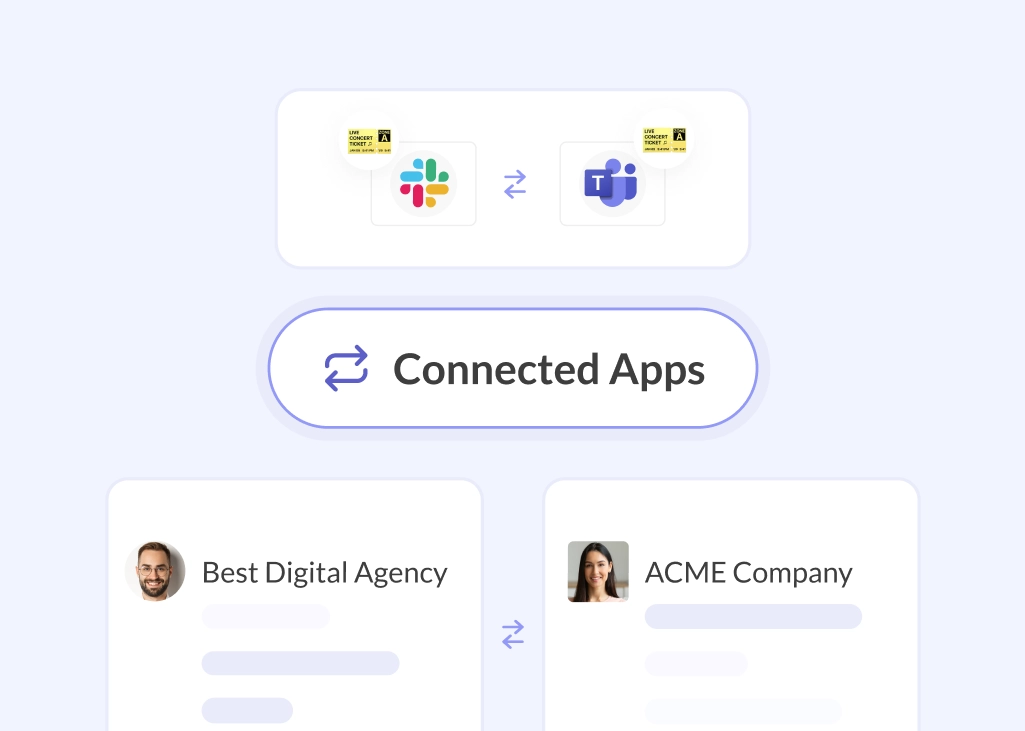
Connected Apps is the first solution to unify cross-platform chat and ticketing across Slack and Microsoft Teams.
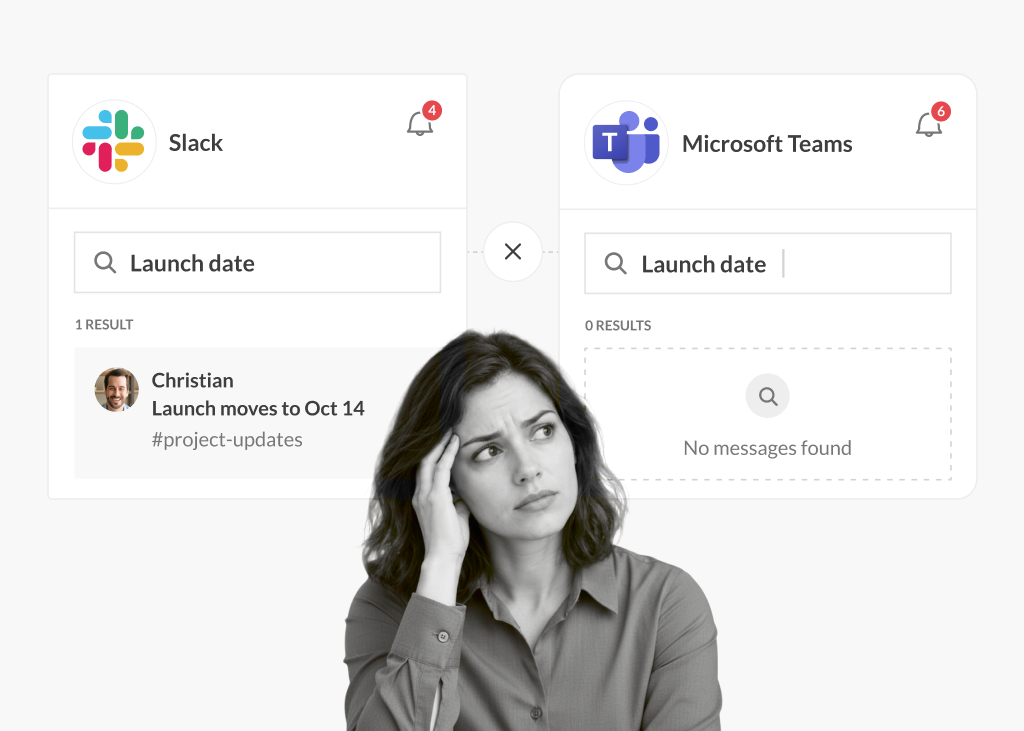
Most companies standardize on one messaging platform, but in enterprise environments, post-merger organizations, and businesses that collaborate closely with clients or partners, it’s common for different teams to operate on different platforms. When those teams need to work together on a shared ticket, project, or support request, the workflow can get tricky.
The employee load is well documented. According to the Microsoft Work Trend Index (2024), 68% of employees struggle with the pace and volume of their work, spending roughly 60% of their time just managing emails, chats, and meetings.In a cross-platform environment, the cost compounds quickly.
So, should everyone just be forced to work on one messaging platform? While that idea is tempting to some, it’s rarely a practical solution. The better question is: how can we make cross-platform collaboration work without adding more cognitive strain?
Introducing Connected Apps
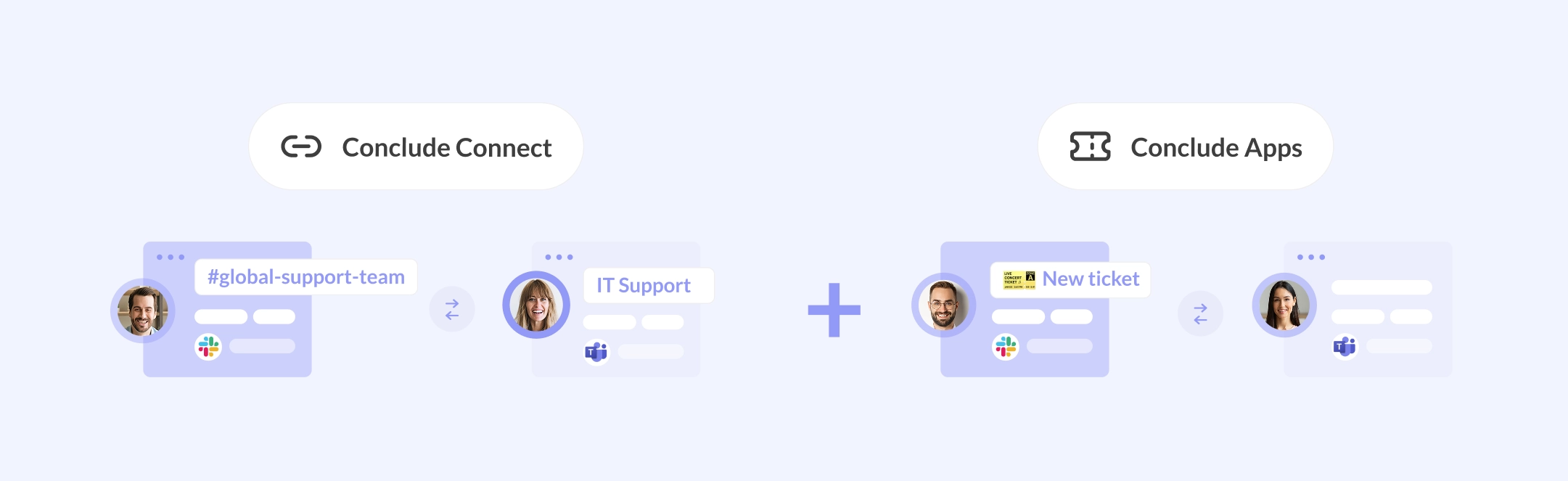
Connected Apps combines Conclude’s Connect and Apps, allowing teams to work together on Slack or Microsoft Teams and collaborate on tickets and projects from either platform.
Conclude Connect is the Slack and Microsoft Teams integration that connects channels and chats for bi-directional messaging. Files, emoji reactions, and @mentions are shared and updated between platforms automatically, so users can stay connected in their platform of choice.
Conclude Apps are no-code workflow apps and templates for managing tickets, tasks, incidents, issues, and more. These also include Zendesk and Jira integrations, making it a comprehensive solution for teams that are looking to pare down their tools and boost their collaboration.
Connected Apps brings these capabilities together for a cross-platform collaboration and ticketing experience that hasn’t been available before now.
As Conclude CEO Haavard Nord explains: “With Connected Apps, organizations using Slack and Microsoft Teams can now manage all their conversations and tickets in one place. These platforms are embedded in workplace culture, so choosing solutions that work inside these tools will boost productivity while reducing context switching and cognitive load."
How It Works
There are two ways to set up Connected Apps, but both achieve the same result.
Option A: Install the app first, then connect the channel
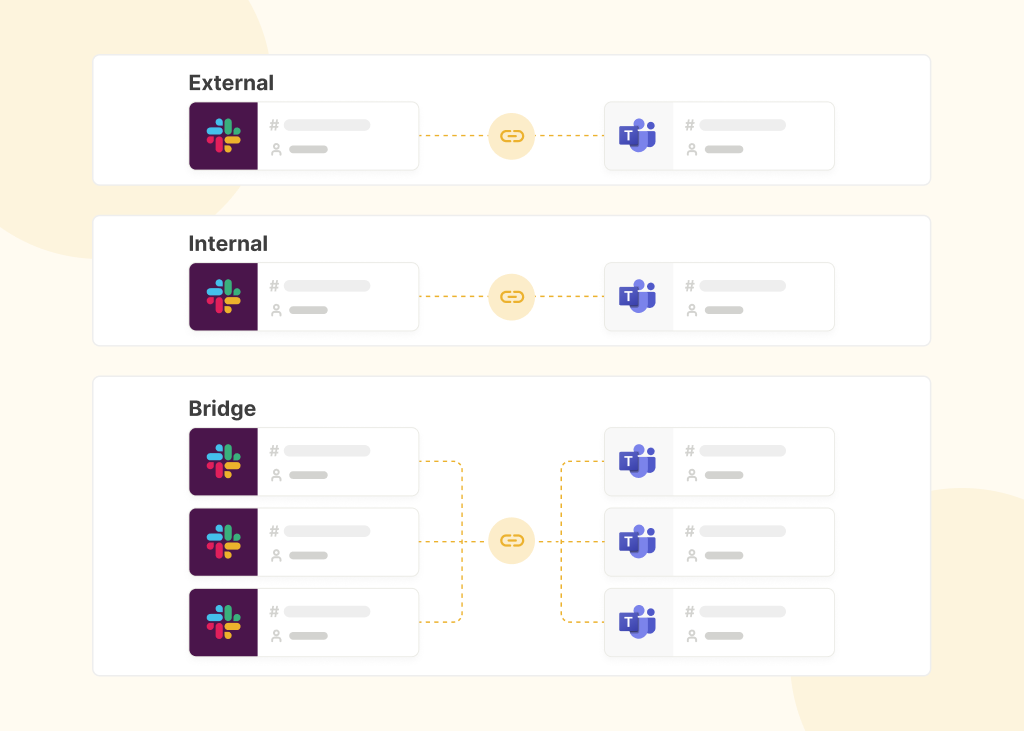
Install a Conclude app, e.g., Support, Zendesk, or Jira integration into a Slack or Teams channel. Then connect that channel to a channel on the other platform. The app automatically syncs across the connection so tickets can be worked on on either platform.
Option B: Connect the channel first, then install the app
Set up a channel connection between Slack and Teams, then install a Conclude app into one of the connected channels. Once connected, it will sync to the other side automatically.
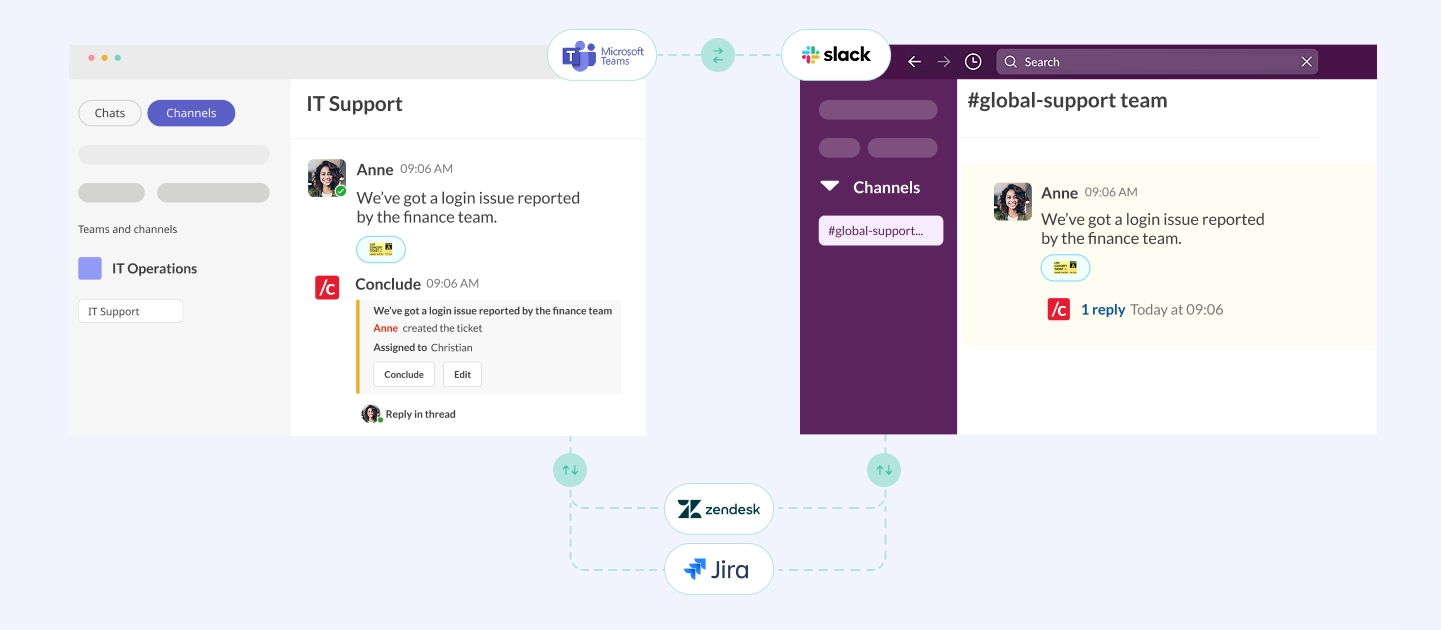
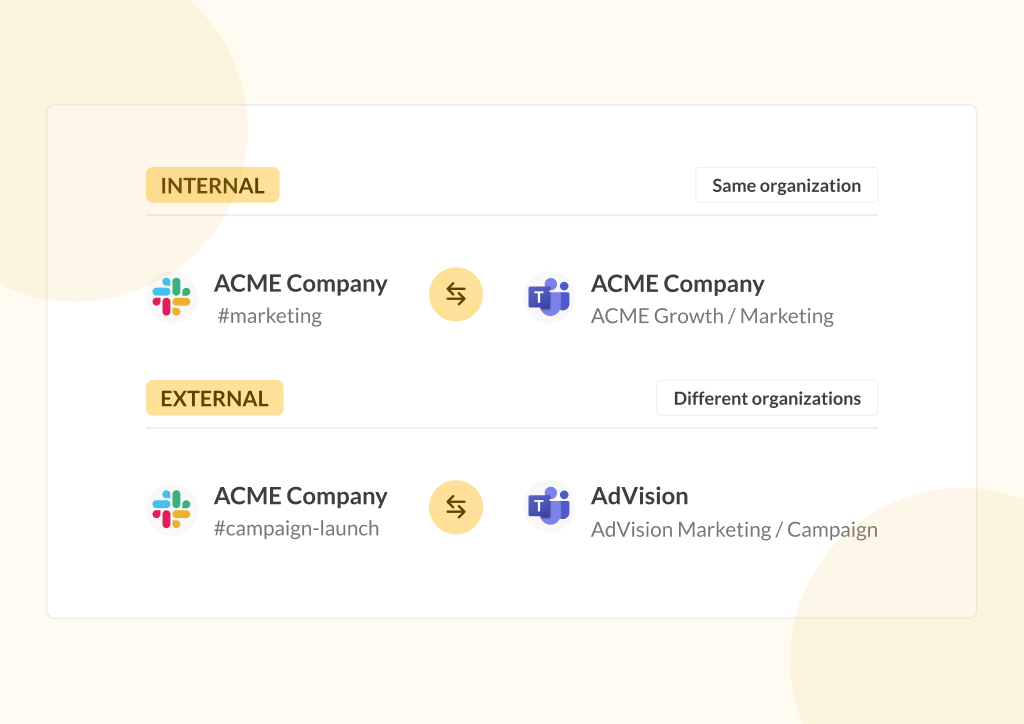
Both options work for connections within the same company, and for cross-company connections with external collaborators such as clients, partners, or vendors.
Once everything is set up, opening tickets and collaborating with colleagues or partners is simple. Any message in a connected channel can be converted into a ticket using a ticket emoji reaction on Slack and Teams. Replies, file updates, and status changes appear on both platforms in real-time. Tickets can also be tracked and managed from the Conclude Dashboard, which provides an overview of open tickets, status changes, volume, and trends over time.
Jira Integration: Three Platforms in Sync
For engineering and operations teams, Jira is where issues live and Slack or Teams is where conversations happen. Until now, keeping those two in sync has required manual effort – someone has to update Jira after a Slack discussion, or message the team after a Jira issue is created (depending on the Jira integration that’s used).
With Connected Apps and the Jira integration enabled, that extra effort disappears. Issues created in Slack or Microsoft Teams are automatically mirrored in Jira. Updates made in Jira (status changes, comments, and assignments) sync back into both chat platforms in real-time. All three systems stay updated without anyone having to copy, paste, or remember to update.
The Jira integration works with any Conclude app template, e.g., Bug tracking, Incident management, or the dedicated Jira integration app. All app templates are configurable, so teams can adapt fields, severity levels, and workflows to match how they already work. Learn more.
Zendesk Integration: Customer Support Across Any Platform
For support and customer success teams, Connected Apps also integrates with Zendesk – and the cross-platform dimension here is especially useful.
When the Zendesk integration is enabled, tickets are mirrored bidirectionally between Slack or Teams and your Zendesk account. A ticket opened in a Slack support channel appears in Zendesk. A reply from a Zendesk agent syncs back to the Slack thread – and to the connected Teams channel. Agents can respond from whichever platform they prefer without losing context.
This is particularly valuable when the support team is split across platforms, or in cases when clients and partners are on a different messaging platform to the support team. The customer user experience stays intact, while the support team can work from any platform. Learn more.
Who Is Connected Apps Built For?
Connected Apps solves a specific set of problems for different types of teams, including when:
1. Your organization uses both Slack and Teams
Common in post-merger environments, large enterprises where different departments have standardized on different tools, or IT and operations teams that have been given Slack while the broader business runs on Teams.
2. You work closely with external clients or partners who are on a different platform
Agencies, consultants, and service businesses frequently run into this. Connected Apps lets both sides work in their own platform while staying fully in sync. Likewise, Conclude Connect also allows teams to collaborate and share files without the need for a task or ticketing system.
3. You need ticketing and chat to stay connected
Support teams, IT helpdesk, incident response teams, and engineers or DevOps that use Jira or Zendesk often end up managing context across too many tools. Connected Apps brings those workflows into chat and keeps them there, with real-time synchronization that just works.
A New Standard for Ticket and Chat Interoperability
Before Connected Apps, organizations in cross-platform environments had two basic options: force everyone onto one platform (which rarely works in practice), or accept the overhead of managing two separate systems.
Conclude offers a third pathway – chat interoperability and structured ticketing in one place, with native integrations for the tools teams already use. It doesn’t require replacing Jira or Zendesk because it connects them to the platforms where the work is being discussed.
This is the first solution on the market to make tickets genuinely cross-platform. Tickets created on Slack are actionable on Teams and vice versa. They stay in sync automatically across Slack, Teams, Jira, and Zendesk, with more integrations planned for the future.
Getting Started
Connected Apps is available on our Starter, Pro, and Enterprise plans (see Pricing).
To get started, you need to:
- Sign up for Conclude (free for 14 days, with full features)
- Enable Connect – cross-company or Connect – cross-platform, and Apps – ticketing and issue tracking, and in the Admin console under Solutions
- Install a Conclude app template – here you can also set up the Zendesk or Jira integration (optional)
- Connect the relevant channels or chats between Slack and Teams
- Open tickets using a ticket emoji from either platform
For more information, see: Connected Apps Quickstart, the Jira Integration Quickstart, or the Zendesk Integration Quickstart.
Frequently Asked Questions
What is Connected Apps?
Connected Apps is a Conclude solution that combines real-time Slack and Microsoft Teams channel sync (Connect) with no-code workflow apps for ticketing and issue tracking (Apps). It lets teams on different platforms collaborate on the same tickets without switching tools or creating duplicate updates.
Do I need both Slack and Teams to use Connected Apps?
Connected Apps works across Slack and Microsoft Teams, but also Slack to Slack or Teams to Teams across different workspaces and tenants. For external connections between two companies, each company only needs to manage their own platform, so one company can be on Slack while the other is on Teams.
Does Connected Apps work with external companies?
Yes. Connected Apps supports both types of connections. It can be used within the same organization, across platforms, and for external cross-company connections. Clients or partners are never counted as active users and do not require a Conclude license.
How does the Jira integration work with Connected Apps?
When the Jira integration is enabled and set up, issues created in Slack or Teams are automatically mirrored in your Jira project. Updates in Jira sync back to both chat platforms in real time. All three systems stay in sync without manual updates.
Do Connected Apps work with Zendesk?
Yes. With the Zendesk integration enabled, tickets are synced between Slack or Teams as well as Zendesk. Agents can respond from any platform, and all activity stays updated.
What plans include Connected Apps?
Connected Apps is available on the Starter, Pro, and Enterprise plans. The Pro plan includes unlimited no-code apps, Jira and Zendesk integrations, and up to 10 external connections.
How long does setup take?
Most teams are up and running in under 30 minutes, but you will need admin permissions. Our Quickstart Guides walk you through each step, e.g., enabling solutions, installing an app, connecting channels, and optionally configuring Jira or Zendesk.