Conclude Bridge: A Deep Slack and Teams Integration Between Companies
 Sian Bennett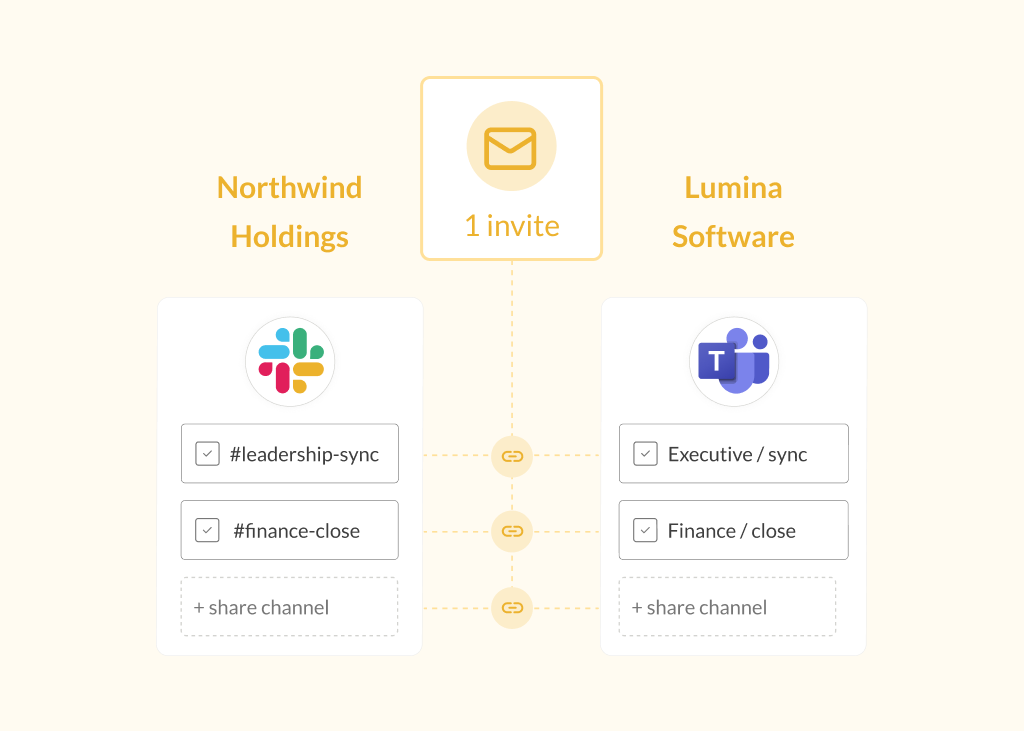
When two companies need to collaborate across Slack and Microsoft Teams, the usual approach is to connect channels one at a time, with one invite per connection. That works fine for a handful of channels, but for IT admins managing mergers, large partner ecosystems, or multi-team vendor relationships, sending and tracking dozens of individual invites quickly becomes its own project.
Ideal for M&As and partner ecosystems. Conclude Bridge is a deep Slack and Teams integration that solves this differently. Instead of inviting a connection per channel, IT admins can send a single invite at the company level. Once accepted, both organizations can independently share and connect as many channels as they need, without repeating the invite process each time.
Want to see how Bridge works? Try Conclude free for 14 days or book a demo.
What Is Conclude Bridge?
Conclude Bridge is a Slack and Microsoft Teams integration that connects two companies at the workspace or tenant level. One admin sends a single invite to a contact at the partner company. Once that invite is accepted, the bridge is active – but no information is shared until each side chooses which channels to make available and approves the connections.
From there, both companies can independently share and connect channels, with no need to send a new invite for each additional connection. Conclude also provides granular security controls per channel connection, so files, images, and message syncing settings are managed by each admin.
Bridge is built for admins managing large-scale or multi-team deployments: companies going through mergers and acquisitions, and organizations with established partner ecosystems that need an ongoing, scalable way to connect.
How Bridge Differs from Connect for External Collaboration
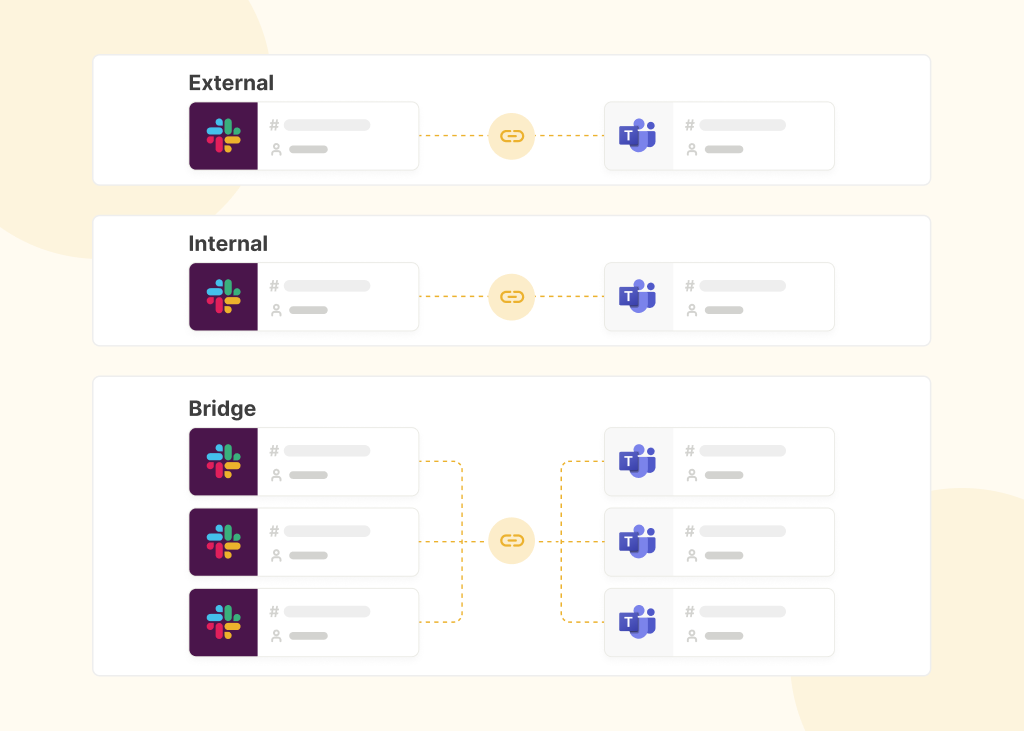
Conclude already offers a way to connect with customers, vendors, and partners through Connect’s external collaboration solution. The difference comes down to scale and structure.
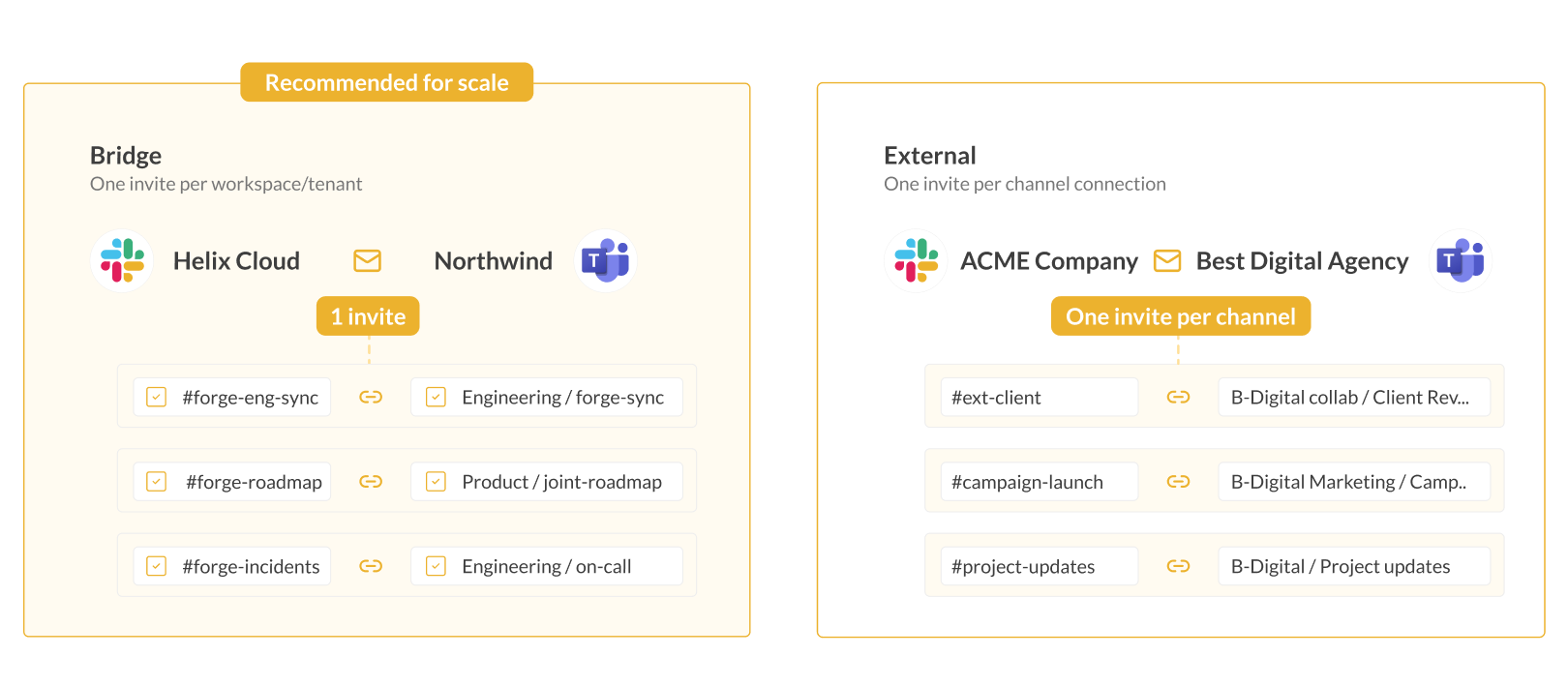
External connections work on a per-channel basis: one invite connects one channel. This is fast to set up and works well when you only need to connect a few channels with a partner.
Bridge works at the company level: one invite activates the relationship between two organizations, after which any number of channels can be shared and connected without additional invites. This is better suited to admins who expect the relationship to grow over time, or who need to manage many channel connections from the start.
Bridge
- One invite per workspace or tenant
- Connect unlimited channels with no invite each time
- Built for IT admins managing large-scale deployments
- Ideal for M&As and large partner ecosystems
External
- One invite per channel connection
- Quick to set up; external users don’t pay
- Best when you only need one or a few channels
- Ideal for agencies and client-facing relationships
If you’re not sure which fits your situation, the simplest approach is: choose External for a handful of channels with one partner, and Bridge when you’re managing many channels, multiple teams, or expect the relationship to expand. Bridge is available as part of our Enterprise plan, while External is available as part of Starter and Pro. See our Pricing page for more.
How Bridge Works
Setting up a Slack-Teams bridge is simple. For full setup instructions, see the Bridge Quickstart Guide. Watch the video and follow the steps to get started:
Step 1: Activate Bridge – an admin enables the Bridge solution from the Admin console
Step 2: Send the invite – the admin invites a contact at the partner company by name and email. The invited company receives a secure link, valid for 96 hours
Step 3: Accept the invite – an admin at the invited company signs in with their primary chat platform (Slack or Microsoft Teams) and accepts. This activates the bridge for both sides
Step 4: Share channels – each company independently chooses which channels to make available to the other. Sharing a channel doesn’t connect it – it simply makes it visible for the partner to pair with
Step 5: Connect channels – once both sides have shared at least one channel, either company can select a pair and connect them. Messages, files, @mentions, and reactions begin syncing immediately, and users in both channels see a welcome message confirming the link.
If you’re using Microsoft Teams, it’s worth setting up an integration account at this stage, too. Without this, some messages may appear under a fallback sender rather than the actual user.
Bridges and their channel connections are managed centrally under Dashboard > Bridge, where admins can share additional channels at any time, view all active connections, disconnect individual channel pairs, or remove a bridge entirely.
A Secure Enterprise Solution
Bridge is built to meet the requirements of large and regulated organizations. It is SOC 2 Type II certified and HIPAA compliant, with all data encrypted in transit and at rest. Connections are managed at the workspace or tenant level, giving admins full visibility into which teams and channels are linked, and no message content is stored on Conclude’s servers.
Use Cases for Conclude Bridge
Mergers and Acquisitions
When two companies merge, getting teams talking to each other quickly matters. Bridge lets IT admins connect both organizations’ workspaces from day one, so people can start collaborating in their existing tools without waiting for a full platform migration.
Partner Ecosystems
For companies maintaining ongoing relationships with multiple partners, Bridge can be set up once at the workspace or tenant level, with new shared channels added as each relationship grows, without sending a new invite every time.
Agency-Client Relationships
Agencies and consultancies with long-term, client-facing accounts can connect workspaces or tenants upfront, then share project channels as needed. This reduces setup friction on both sides and reduces approvals.
Where Bridge Fits in the Conclude Suite
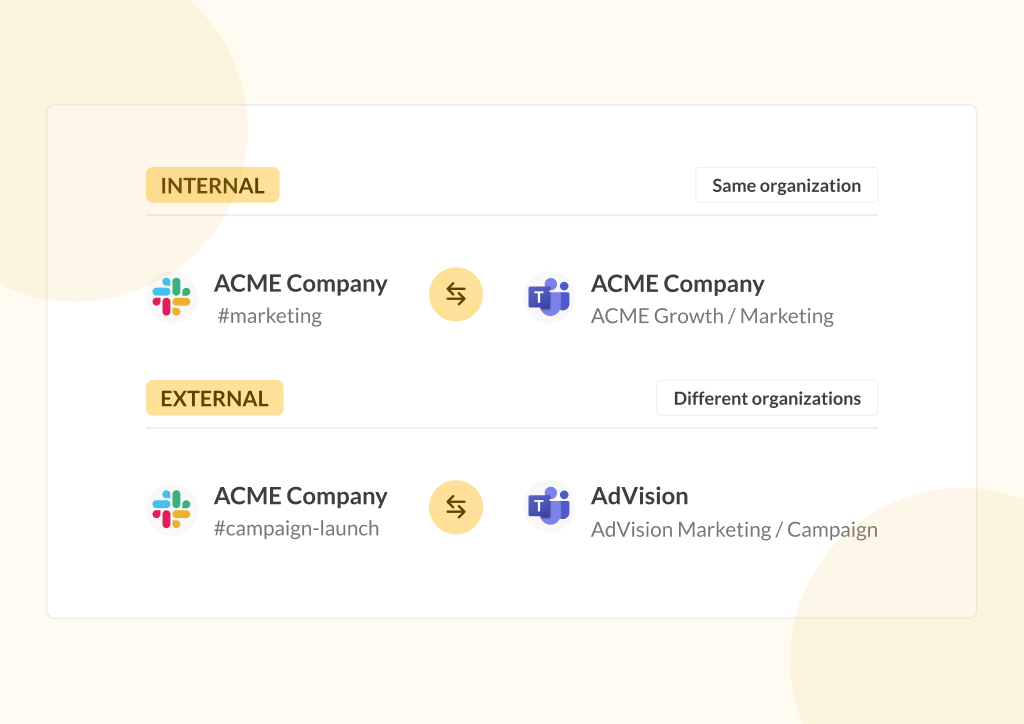
Bridge is part of Conclude’s solutions for connecting Slack and Microsoft Teams. Conclude Connect can be used to link channels and chats within the same company, to connect with individual clients and partners on a per-channel basis, or as part of a deeper integration (Bridge).
Conclude Apps is designed for ticketing and task management inside Slack and Teams, with optional Jira and Zendesk integrations, while Connected Apps combines both solutions, syncing tickets and conversations across connected channels. Solutions can be combined to suit your company’s needs.
Frequently Asked Questions
What does Conclude Bridge do?
Bridge is a deep Slack and Microsoft Teams integration that connects two companies at the workspace or tenant level using a single invite. Once active, both sides can independently share and connect any number of channels. It’s ideal for mergers and acquisitions and partner ecosystems.
How is Bridge different from Conclude’s External collaboration solution?
Conclude’s External solution requires one invite per channel and works well for a small number of connections – the invited company also doesn’t require a Conclude license. This is ideal for agencies, consultants and companies working on a per channel or per project basis. The invited company only need to install Conclude in their workspace or tenant to activate the solution.
Bridge requires one invite per company, after which unlimited channels can be shared and connected without additional email invites. This makes Bridge better suited to large-scale or growing relationships. Both sides need Conclude accounts and licences to use this solution.
Is Conclude Bridge secure?
Yes. Bridge is SOC 2 Type II certified and HIPAA compliant. All data is encrypted in transit and at rest, no message content is stored, and admins have full control and visibility over which channels are connected. See our Security page for more.
Can Bridge be used for Slack-to-Slack or Teams-to-Teams connections?
Yes. Bridge supports Slack-to-Slack and Teams-to-Teams workspace or tenant connections, which is useful for companies that want to avoid setting up guest accounts, or companies with stricter security requirements. Admins can control file and attachment sharing settings from the Admin console.
Who is Conclude Bridge best suited for?
Bridge is best for IT admins managing large-scale or multi-team deployments, companies going through mergers and acquisitions, and organizations maintaining established partner ecosystems with many channel connections.