AI Productivity Tools for Collaboration: How Conclude Solves Problems at Scale
 Conclude Team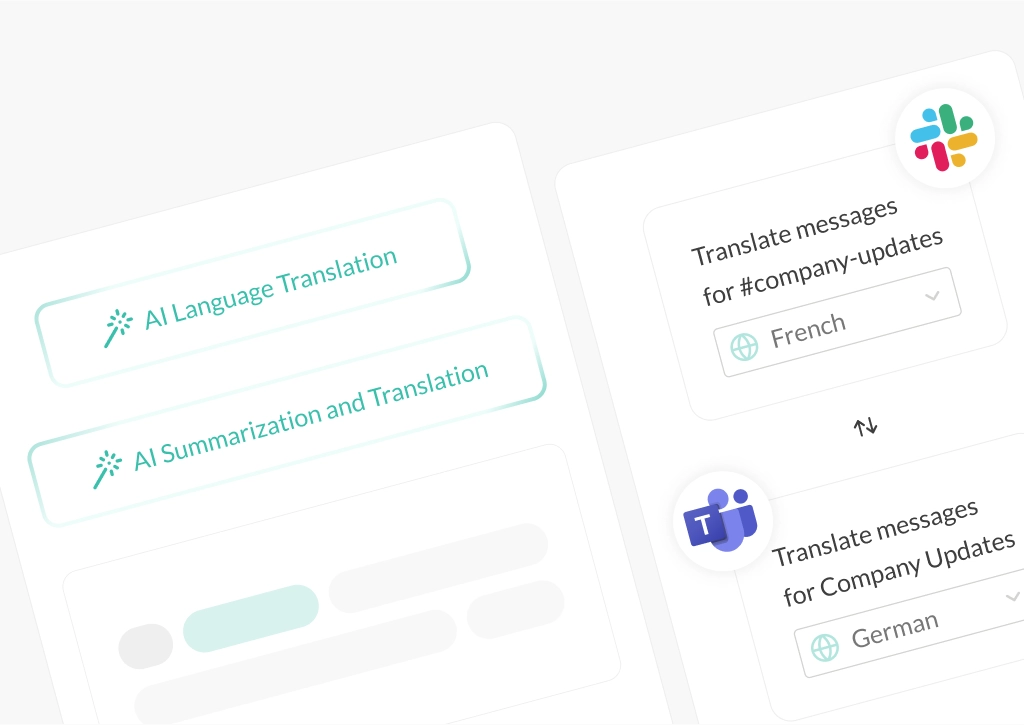
With employees juggling hundreds of emails, chat messages, and vendor communications every week, productivity sinks under the weight of fragmented platforms and communication silos. According to Harvard Business Review many professionals spend about 2.6 hours per day and roughly 28 percent of their workweek on email alone.
This article explores how AI productivity tools can cut through the noise. Using a mid-market SaaS example, we show how these AI tools can reduce digital overload and the practical steps that enterprise leaders can take.
The Fragmented Communication Problem
Many enterprise teams split their work across multiple tools. Technical teams use Slack, business units rely on Microsoft Teams, and external partners bring a mix of email, Slack, or Teams. When conversations are scattered, messages get missed, context is hard to follow, and long email threads still need manual summarization.
The problem runs deeper than “too many tools” as knowledge workers can spend around 10-12 hours per week on email. At the same time, one Harris Poll found that companies lose an average of 7.47 hours per week per employee to poor communications (National Association of Manufacturers). Microsoft’s Work Trend Index shows 40% of employees check email before 6am, contributing to an ‘infinite workday’ where communication never stops (Microsoft Worklab).
Key takeaway: without a unifying solution, fragmented communication leads to lost time, dropped priorities, and employee burnout.
Inside a 2,000‑Person SaaS Company: A Realistic Enterprise Case Study
Meet TechFlow Solutions
TechFlow Solutions is a 2,000‑person, globally distributed SaaS company using both Slack and Teams internally. Engineering and Product rely on Slack, while HR, Operations, and Finance use Teams. External partners and clients connect via Slack, Teams, and email, often requiring translation due to offices in North America, Europe, and Asia.
Leadership can see that the tools themselves are not the problem. The issue is integration, visibility, and the manual effort required to bridge systems that were never designed to work together.
Core Challenges TechFlow Faces
Internal silos – critical HR or marketing updates posted on Teams often miss Engineering and Sales in Slack. For example, HR posts a benefits enrollment deadline in a Teams channel; several days later, engineers still have not seen it, having only heard mentions in side conversations.
Communication overload – many employees start and end their day in their inboxes, on top of constant Slack and Teams notifications. This mirrors broader findings that professionals spend a large share of their day on email alone.
Context lost in long messages – vendor or client emails arrive as long threads that someone has to read, interpret, and summarize into Slack or Teams messages. Important details and nuance get lost in translation between tools.
Multilingual friction – international partners send technical emails in French, German, Japanese, and Mandarin. Teams either wait for bilingual colleagues or jump to external translation tools, introducing delays and cognitive overhead.
For a 2,000‑person organization, even small inefficiencies scale quickly. If TechFlow experiences the same 7.47 hours of weekly loss per person reported in the Harris Poll, that would translate to roughly 15,000 hours of productivity lost every week across the company (National Association of Manufacturers).
Key takeaway: TechFlow’s challenges mirror those reported by many mid‑market and enterprise organizations in independent research on email and communication overload.
The Dual Threat: Long Emails and Language Barriers
Challenge 1: The Time Sink of Long Emails
TechFlow’s support and operations teams spend 1–2 hours every day just reading long vendor and client emails, HR documents, or briefs. Manual summarization is slow, details are easy to miss, and alignment suffers, especially when teams coordinate across both Slack and Teams.
This aligns with broader evidence that people often reopen and re-read emails multiple times, which compounds the time cost without improving decision-making (Harvard Business Review). When one person becomes the “human summarizer” for long threads, knowledge is also concentrated and can become a single point of failure.
Challenge 2: Language Barriers and Global Friction
As TechFlow expanded globally, more partners and vendors communicated in local languages. Teams now either:
- Wait for bilingual colleagues to translate and respond, or
- Copy text into external tools, leaving their main workspace and interrupting their flow
Either way, response times increase, nuance can be lost, and partners experience delays that have nothing to do with willingness to help.
Key takeaway: long emails and multilingual messages create daily bottlenecks that slow sales cycles and collaboration.
How Conclude AI Changes the Equation
Conclude offers two complementary solutions that work together to address enterprise communication challenges: Conclude Connect and Conclude Apps.
Organizations can use these independently or combine them for comprehensive cross-platform collaboration with optional AI-powered enhancements.
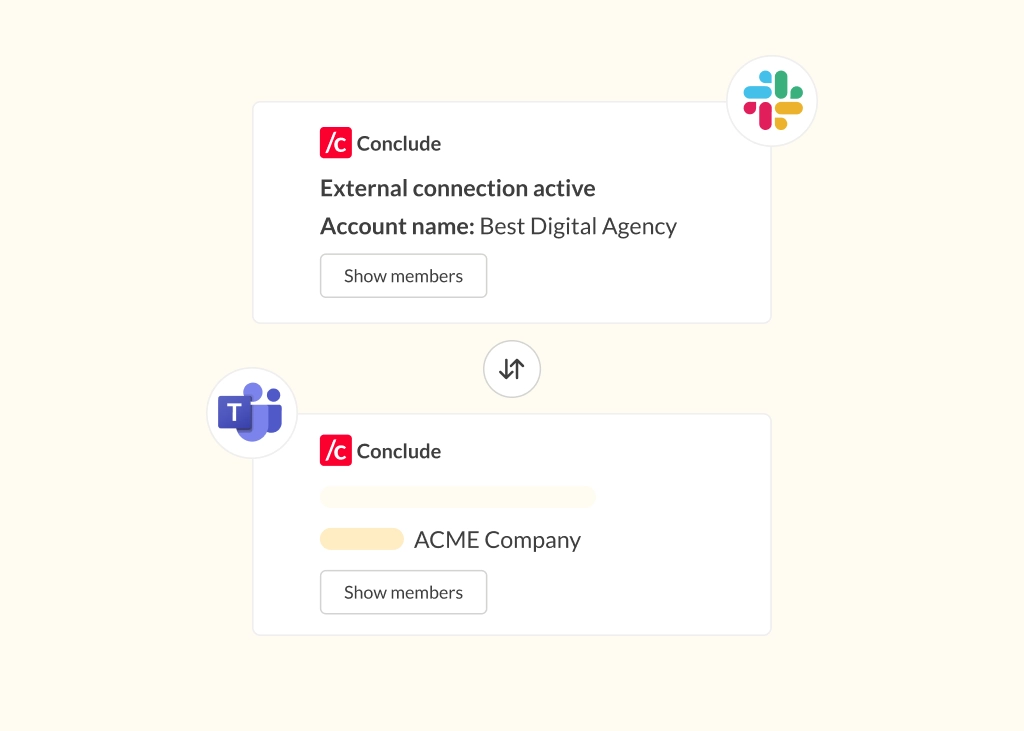
Conclude Connect breaks down platform silos by syncing channels between Slack and Microsoft Teams, with AI-powered translation between platforms in up to 60 languages to improve collaboration.
Conclude Apps integrates ticketing and incident management across platforms like Jira and Zendesk. Its AI features include email summarization for faster ticket triage and email translation for multilingual support.
Many enterprises use both solutions together: Connect handles real-time conversations across linked channels, while Apps manages structured workflows like support tickets and vendor communications.
Conclude Apps: AI Summarization and Translation
To enable email summarization, admins or users install a workflow app template like Support into a dedicated channel (e.g., #support or #vendor-comms).
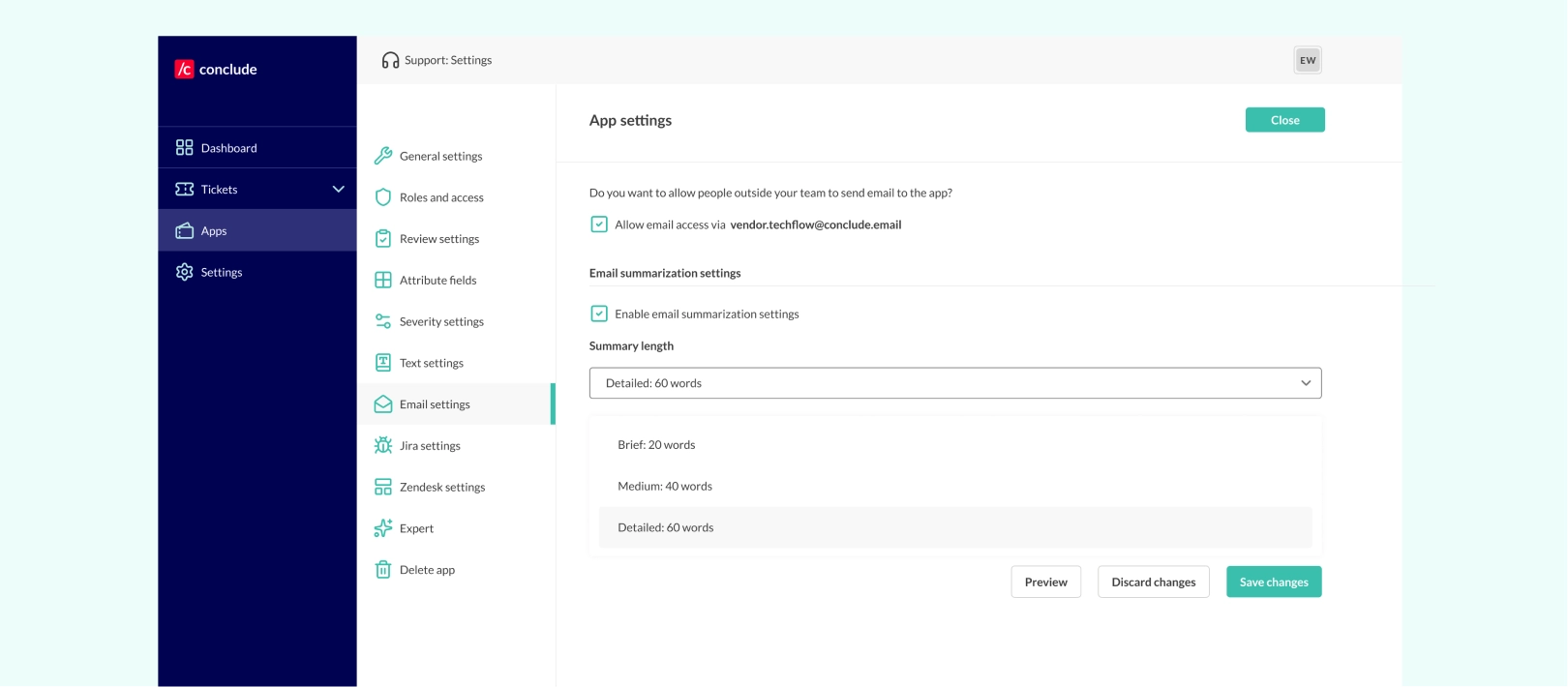
In App settings > Email settings, teams can:
- Set up email access for the app using a dedicated email address
- Enable email summarization settings and choose a summary length – brief (20 words), medium (40 words), or detailed (60 words)
- Add a summarization language (up to 60 languages)
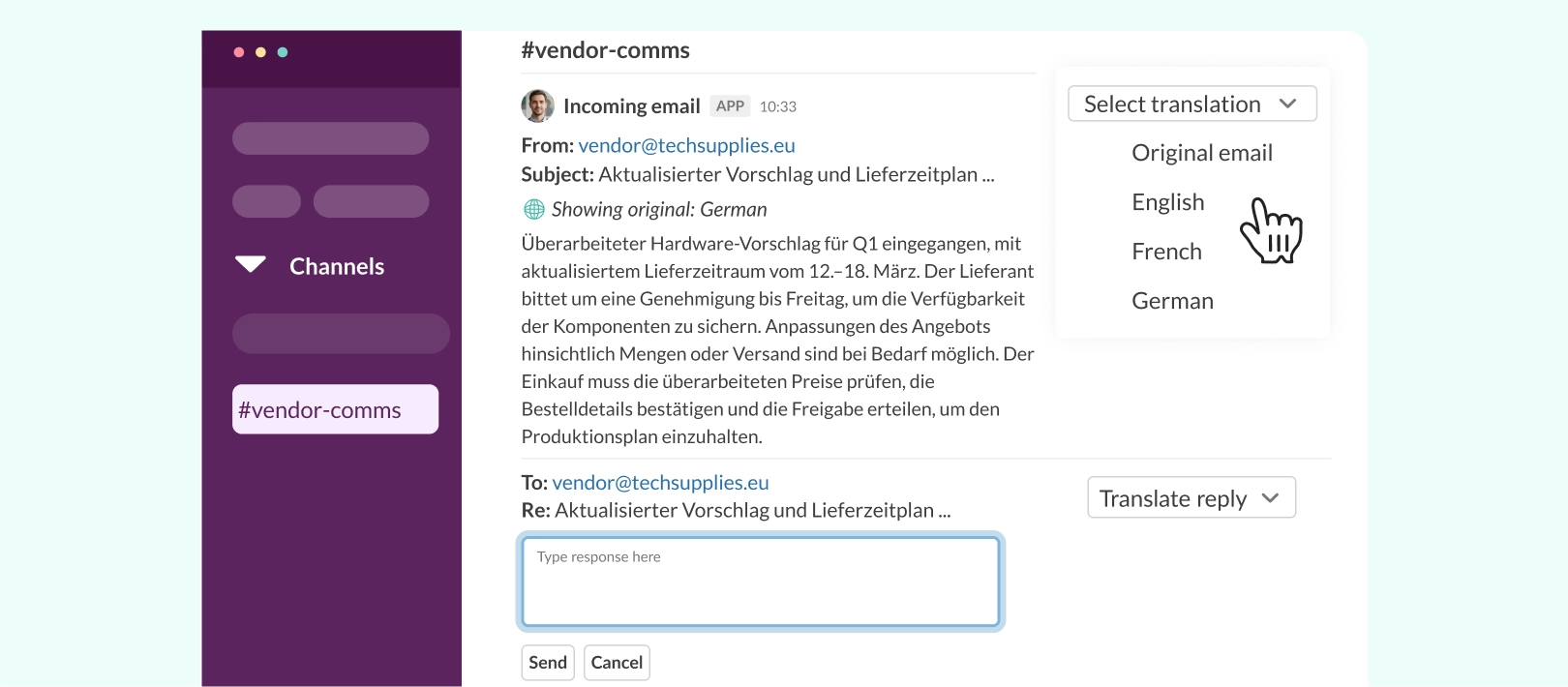
- Configure translation for all incoming emails in that channel and define which languages replies should use
This is especially useful for summarizing tickets and managing incoming requests. Instead of reading full email threads, teams see a concise summary with main points, deadlines, and actions. In Conclude’s own user tests, email summarization saved an average of 1.2 minutes per email.
How TechFlow implemented it:
TechFlow installed the Support app template in two dedicated channels to handle high-volume email traffic:
#vendor-commsfor supplier and partner emails#support-client-xfor incoming client issues, requests, and feedback
They enabled detailed summaries (60 words), added German and French for translation, and configured reply settings so the team could respond to tickets directly from Slack or Teams.
Illustrative impact for TechFlow:
Vendor communication – incoming supplier emails are summarized and posted into #vendor-comms, giving procurement a concise overview of proposals, timelines, and required actions. They no longer need to read full email chains before deciding what needs attention.
Customer support (issues, support, requests) – all client requests and support emails are routed to #support-client-x, each arriving with an instant summary highlighting the core issue, urgency, and next steps. Support engineers can triage faster, resolve blockers sooner, and reply directly from their preferred platform.
In TechFlow’s case, this meant saving about 8 hours per week, driven by faster triage and fewer manual updates. Learn more about how to set up AI for Communication on Slack and Microsoft Teams.
Key takeaway: AI-powered summarization converts long incoming emails into quick, actionable updates, reducing context switching and speeding up decision-making.
Conclude Connect: AI-Powered Multilingual Collaboration
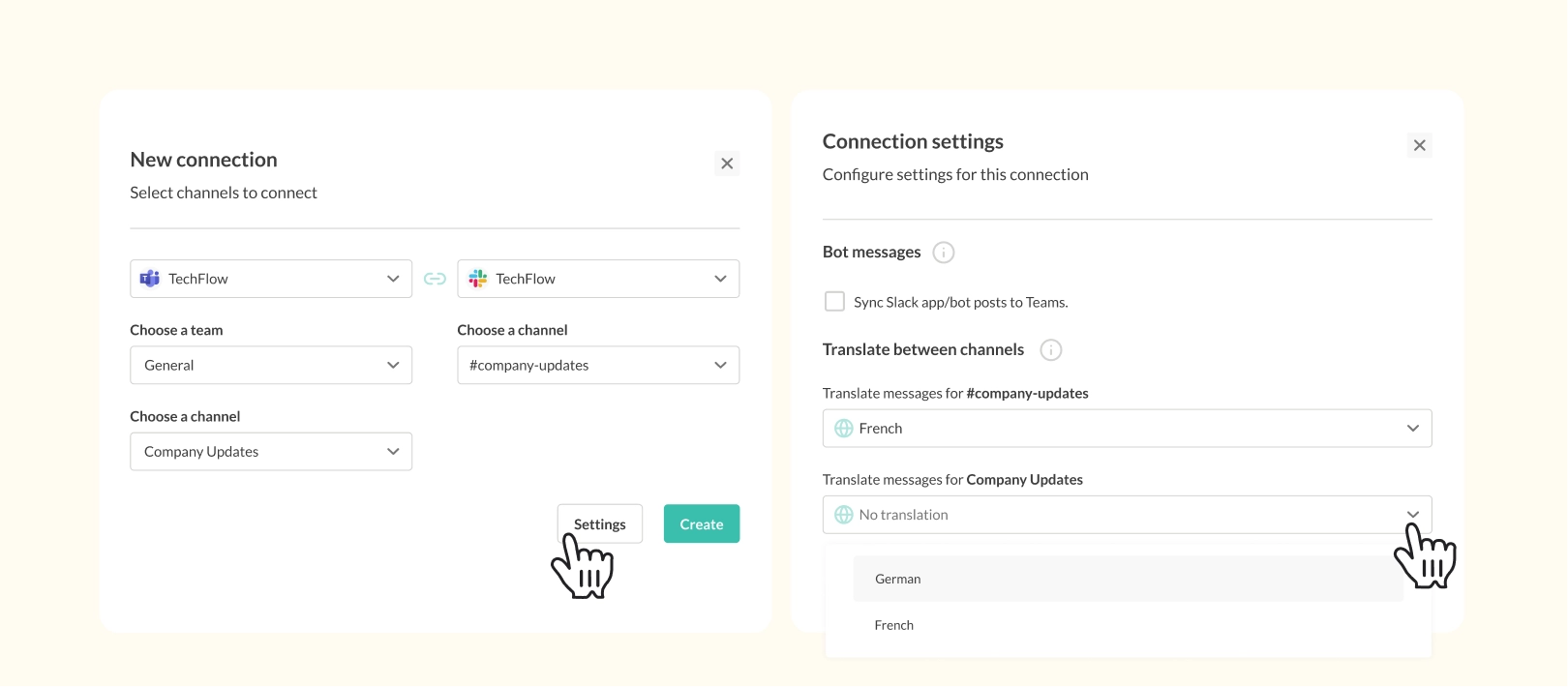
Conclude Connect links Slack and Microsoft Teams channels so teams can communicate in real time without switching tools. With AI translation enabled, messages are automatically translated into each team’s preferred language, allowing global teams to read and reply in up to 60 languages.
How TechFlow implemented it:
- TechFlow linked their global
#company-updateschannels on Microsoft Teams and Slack, enabling additional languages so staff can use AI for direct translation - TechFlow also linked their
#developmentand#saleschannels from their Slack’s HQ workspace to their Asia-Pacific Teams workspace - They enabled automatic translation so both sides could communicate in their native language while staying inside their preferred platform (with the original translation available)
Illustrative impact for TechFlow:
- HR shared company-wide updates across Slack and Teams instantly, with automatic translation available so employees could view announcements
- Engineering teams receive progress updates, requirements, and feedback from Teams channels without language barriers
- Sales and procurement teams could communicate confidently, staying in their Slack or Teams environment with access to a language menu in the languages they understand
In TechFlow’s case, enabling automatic translation across key channels reduced average response time for communications by approximately 40%, consistent with research showing that reducing handoffs and context switches shortens response cycles (Frontiers in Psychology).
A Note on AI Accuracy and Human Oversight
Research on information overload and digital tools stresses that automation is most effective when combined with human judgment, not when it fully replaces it (Frontiers in Psychology). At TechFlow, AI summaries and translations are treated as a starting point:
- High‑risk or sensitive topics, such as legal terms or complex contract changes, are still reviewed in full
- Teams use summaries to prioritize work, then read full messages for sensitive or complex topics
Key takeaway: AI summarization and translation reduce manual workload and context switching, but they work best as assistive layers with humans in the loop.
Measuring Success: Productivity and Collaboration Gains
When TechFlow rolled out Conclude’s AI features, they tracked several dimensions:
- Time reclaimed from email and document reading – in TechFlow’s scenario, one team recovered around 8 hours per week by reducing time spent digesting and rewriting long emails into chat updates
- Fewer disruptive context switches – while exact counts weren’t measured for this case study, teams reported fewer jumps between email, Slack, Teams, and translation tools because more information was available where they already worked
- Better coverage of critical announcements – updates that used to be missed by Slack‑only teams arrive to users on both platforms, reducing confusion and duplicate questions
- Improved international responsiveness – with optional translation happening inside chat, global teams answer faster and more confidently, strengthening relationships with partners and vendors
These TechFlow outcomes are illustrative rather than universal, but they show what is possible when AI productivity tools are embedded in existing workflows instead of tacked on as yet another app.
Key takeaway: when AI is embedded in Slack and Teams, gains show up as reclaimed time, clearer announcements, and smoother global collaboration.
How Enterprise Leaders Can Get Started
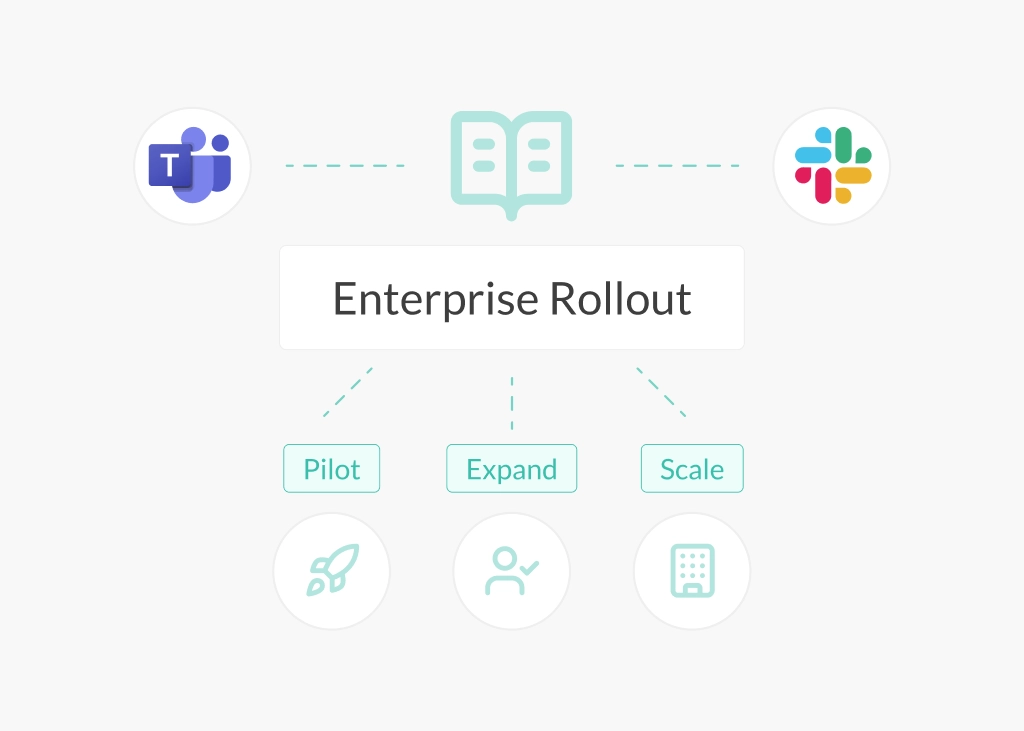
For organizations that recognize themselves in TechFlow’s story, the starting point does not have to be a large transformation.
- Identify high‑friction flows – map where long email threads cause delays, where key messages are often missed, and where language barriers most often slow teams down
- Start with one or two email addresses – connect high‑impact addresses like HR announcements or vendor communications to a Conclude app and enable summarization, so teams can see quick wins
- Link Slack and Teams channels thoughtfully – create channel links for important updates, so summaries flow across platforms without increasing noise
- Enable translation for global workflows – focus AI translation on channels that manage international customers or vendors first, where time savings and relationship impact are clearest
- Combine AI with better norms – alongside AI, reinforce practices like reducing reply‑all chains and being deliberate about which channel is used for what, which research suggests can further relieve overload
- Measure, then expand – track changes in email reading time, response times, and employee feedback before expanding AI features to more departments
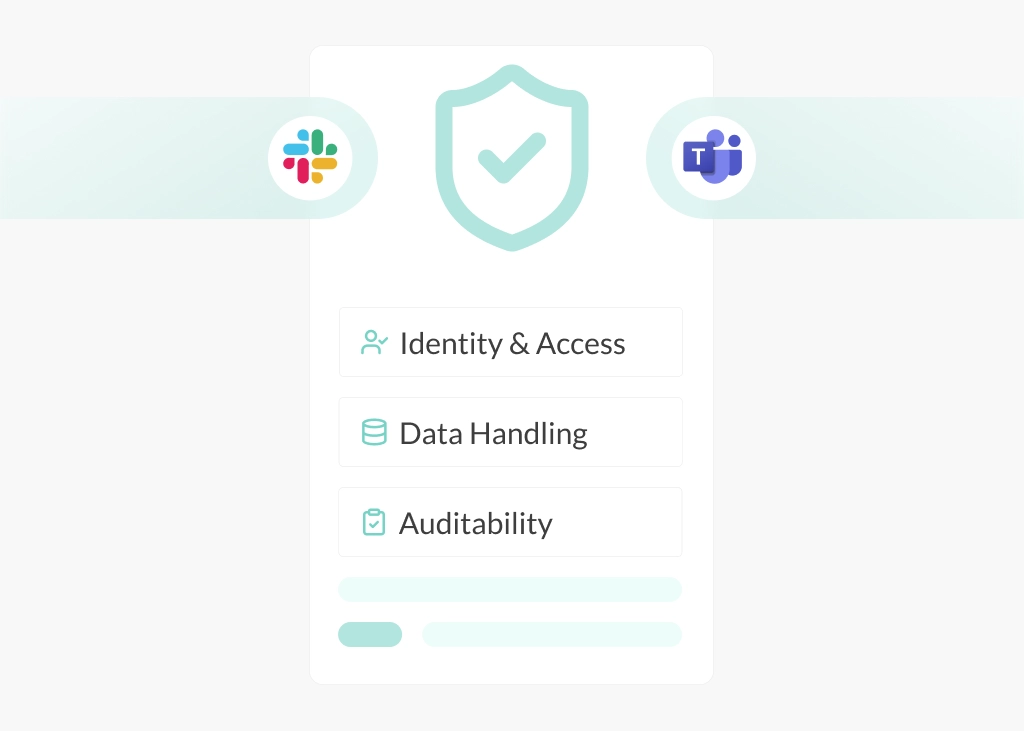
Conclude builds security into every optional AI feature, with encryption, structured data retention, and granular access controls that protect sensitive communications while supporting productivity.
Key takeaway: start where the pain is highest, treat AI as an assistive layer, and grow from real, measured improvements.
AI Productivity Tools Deliver Real Results
Fragmented communication and information overload slow teams down. TechFlow’s example shows how AI-powered email summarization and multilingual translation in Slack and Teams turn long emails and language gaps into structured, actionable information.
By integrating these optional AI features through Conclude, enterprises can reduce noise without forcing teams onto a single platform. Teams that reclaim hours spent on email, reduce context switching, and respond faster to global partners gain a real competitive advantage.
Ready to see how AI-powered productivity can work for your business? Get started free today.
Frequently Asked Questions
How can enterprise teams reduce email processing time using AI?
AI email summarization surfaces key points, deadlines, and actions directly in Slack or Teams, by opening them as tickets or tasks, without requiring teams to read every message in full. In Conclude’s user tests, summarization saved an average of 1.2 minutes per email, which compounds quickly for teams handling dozens or hundreds of emails daily, such as IT help desk or support teams.
How do global enterprises handle multilingual communication in Slack and Teams?
Conclude’s AI translation feature for linked channels brings real-time translation directly to Slack and Teams, eliminating the need to copy text into external tools or wait for bilingual colleagues. Teams receive translations in their preferred language, and replies are translated back to the partner’s language before sending. This keeps conversations flowing, reduces context switching and speeds up response times.
How do you unify internal and external team communication at enterprise scale?
Fragmentation across Slack, Teams, and email is a common challenge, especially when HR uses Teams while Engineering lives in Slack, and external vendors expect email or to use their own chat platforms. Conclude bridges these gaps by connecting different channels or email with Slack or Teams so that critical information reaches all relevant teams regardless of platform preference.
Does AI email summarization miss important context or nuance?
AI summaries are designed as a starting point, not a replacement for human judgment. Research on information overload shows that hybrid approaches work best, where AI surfaces key points and humans review full messages for sensitive topics.
At enterprise scale, teams typically use summaries to triage routine emails and announcements, while legal, financial, and sensitive communications are still reviewed in full by the appropriate people.
What security and compliance safeguards does Conclude have for AI features?
Conclude applies the same enterprise-grade security and compliance controls to its AI features as to the rest of the platform. This includes encryption in transit and at rest, structured data retention and deletion policies, role-based access control, strong authentication, and regular security reviews and audits (including SOC 2 Type II and HIPAA-compliance).
These safeguards help ensure that sensitive support, incident, and communication data stays protected while teams benefit from AI-powered workflows. Enterprise admins retain full control over where AI features are enabled and how they are used.