Agency-Client Collaboration in Slack and Teams: A Cross-Platform Guide
 Conclude Team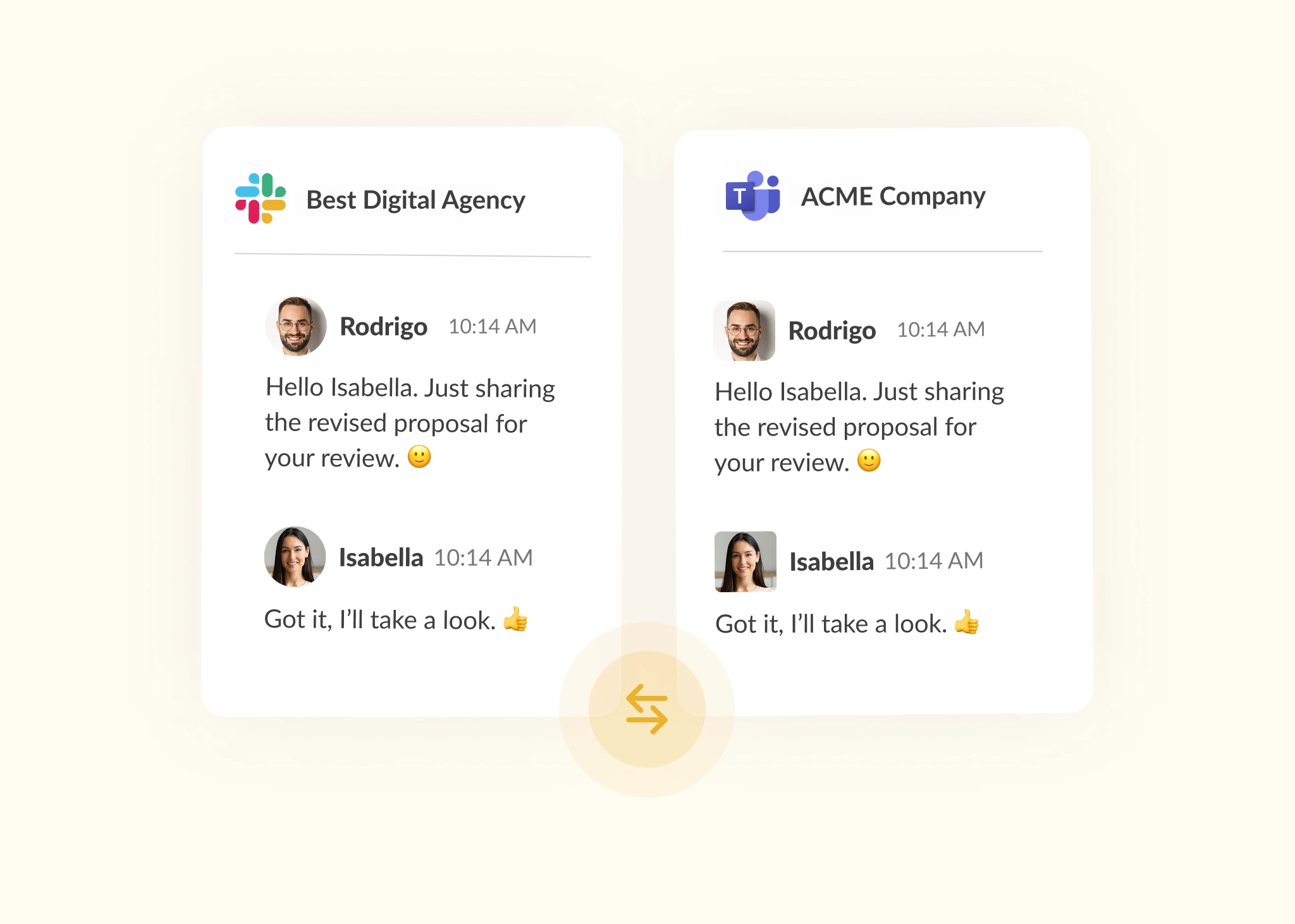
Agency-client collaboration often breaks down for one simple reason: you’re not using the same tools. One side works in Slack, while the other prefers Microsoft Teams or Google Chat. Instead of a shared conversation, it’s a patchwork of emails, missed or delayed messages, and duplicated work.
To solve this problem, agencies may create a second account on the client’s preferred messaging platform – or invite them to use theirs. But this only adds complexity. Conversations remain fragmented, and context is lost across platforms, making it harder to keep track of requests, updates, and decisions.
Over time, this doesn’t just affect communication. It affects how work gets done. Without a shared space to manage conversations, tasks, and updates, collaboration becomes disjointed and harder to coordinate. And because clients rarely switch from platforms already embedded into their workflows, it’s typically the agency that has to adapt.
That’s where most setups fall short. Communication alone isn’t enough for effective agency-client collaboration. Teams also need workflows, ticketing, and shared visibility so that conversations stay connected to execution rather than separated from it.
This article explores why agency-client collaboration matters, where cross-platform collaboration breaks down, and how to improve agency-client communication across Slack and Teams. You’ll also see how Conclude enables real-time cross-platform messaging with Connect – External, and how Conclude Apps adds structured ticketing and workflows on top, for teams that want tickets synced across connected channels.
Looking to bring communication and workflows together across Slack and Teams? Explore how Conclude for External Collaboration helps you manage agency-client collaboration in one shared workspace, while Conclude Apps turns those conversations into structured tickets and tasks.
The Challenge with Cross-Platform Collaboration for Digital Agencies
Digital agencies move fast. You’re juggling internal coordination, client updates, task management, approvals, and delivery timelines, all while trying to deliver a smooth, consistent service. And when clients use different tools, keeping everything aligned becomes its own project.
Common challenges faced by agencies include:
- Constant switching – agencies need to move between multiple platforms for communication, tasks, approvals, and workflows, creating friction and slowing down execution
- Duplicate content – messages, requests, project updates, and workflow tracking are often manually duplicated across tools, leading to messy threads and extra admin work
- Missed updates – key messages are overlooked, along with approvals, feedback, and action items, because work happens across different platforms
- Lack of real-time collaboration – without real-time, two-way conversations, progress stalls, and quick decision-making becomes harder
- Inconsistent client experience – if the agency and client use the same platform (e.g., Slack), they may receive quicker responses, while clients on other platforms may wait longer, leading to service gaps
- Lost context – project decisions, workflow updates, approval history, and client feedback are scattered across tools and threads, causing critical details to slip through the cracks
- Lack of visibility – Project Managers struggle to track conversations and workflow progress across platforms, increasing the risk of misalignment
- Workflow fragmentation – requests, approvals, tasks, and project updates become disconnected across tools, making it harder for agencies and clients to stay aligned operationally
- Client frustration – when updates are delayed, missed, or unclear, it reflects poorly on the agency, even when the root cause is a fragmented tool setup
Without a proper bridge between platforms, teams are left to manually stitch together communication and workflows, and that doesn’t scale.
Common Agency-Client Workarounds (and Why They Fail)
To bridge the gap between Slack and Teams or other tools, many agencies resort to workarounds. But these quick fixes often come with hidden costs, especially when both communication and collaboration need to stay aligned:
Defaulting to Email
Email is often the easiest fallback when messaging platforms don’t connect, but it’s also the slowest. What starts as a quick workaround can quickly become a bottleneck. Email isn’t built for back-and-forth conversations, ongoing collaboration, or fast-paced project workflows. Updates get buried, replies can lag, and key decisions or approvals are lost in an inbox.
Creating Secondary Accounts or Guest Access
To keep communication and collaboration flowing, many agencies create additional accounts for external work. That might mean setting up guest access in their own workspace, or joining the client’s as an external user. With this approach, teams must manage different permissions, switch between environments, and track work across multiple spaces, leading to context switching, fragmented workflows, and cognitive fatigue.
Using Slack Connect
If both sides already use Slack, Slack Connect can help support communication and collaboration in shared channels. But in reality, most agencies work with a mix of clients, some on Slack, others on Teams. Even when Slack Connect is available, it’s often restricted by admin settings or privacy policies, making true cross-company collaboration difficult.
Relying on Automation Tools Like Zapier
Automation tools like Zapier can push simple updates from Slack to Teams (or vice versa), but they only go one way. They don’t support bidirectional communication, and they can’t preserve threaded conversations, approvals, or workflow context. That means your team still has to bounce between tools, and important details can easily get lost in translation.
All of these workarounds might close the gap in the short term, but they’re not built to support ongoing collaboration. They add unnecessary steps, scatter information, cause shadow messaging, and make it harder to keep communication, workflows, and decisions aligned. Over time, this leads to missed updates, duplicated work, and frustrated clients.
Agencies need something simpler. A way to collaborate with clients in the tools they already use, without all the switching, copying, and patching together.
Communication Alone Isn’t Enough For Modern Agency Collaboration
Communication is a critical part of agency-client collaboration. But when solutions focus only on messaging, agencies still run into challenges in executing the work and managing client relationships.
Collaboration between agencies and clients goes far beyond conversations. It includes campaign requests, feedback loops, project approvals, implementation tasks, support escalations, and delivery coordination. These aren’t just messages; they’re part of ongoing workflows that need structure and visibility.
When communication and execution live in separate places, things start to break down. Requests get lost in chat threads, approvals are hard to track, and teams lack a clear view of what’s been done and what’s still pending.
To support effective agency-client collaboration, agencies need more than synchronized communication. They need a way to connect conversations to the work itself.
That means having:
- Structured workflows to manage requests and processes
- Task tracking to keep work organized and accountable
- Client request management so nothing gets missed or duplicated
- Operational visibility across conversations, tasks, and progress
Without this additional layer, even the best communication setup will fall short.
A Better Way to Manage Agency-Client Collaboration Across Platforms
What if you could connect Slack and Microsoft Teams, not just for communication, but for collaboration as well, without switching tools, forwarding messages, or managing duplicate threads? Conclude offers two ways to do it, depending on how many partners or clients you’re connecting with.
Connect – External Collaboration
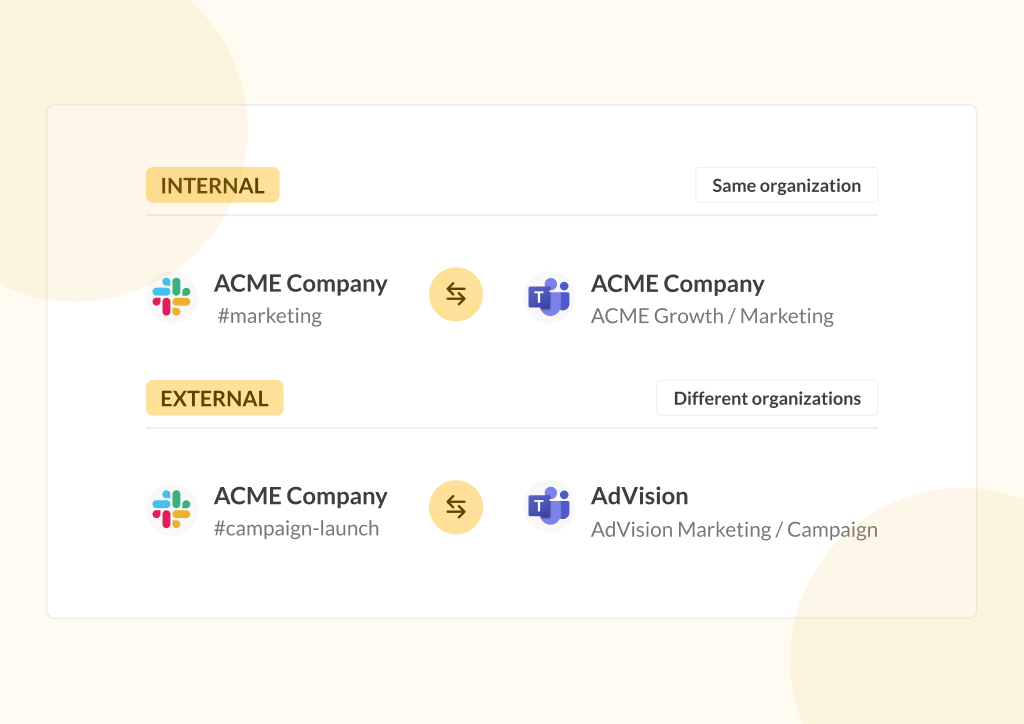
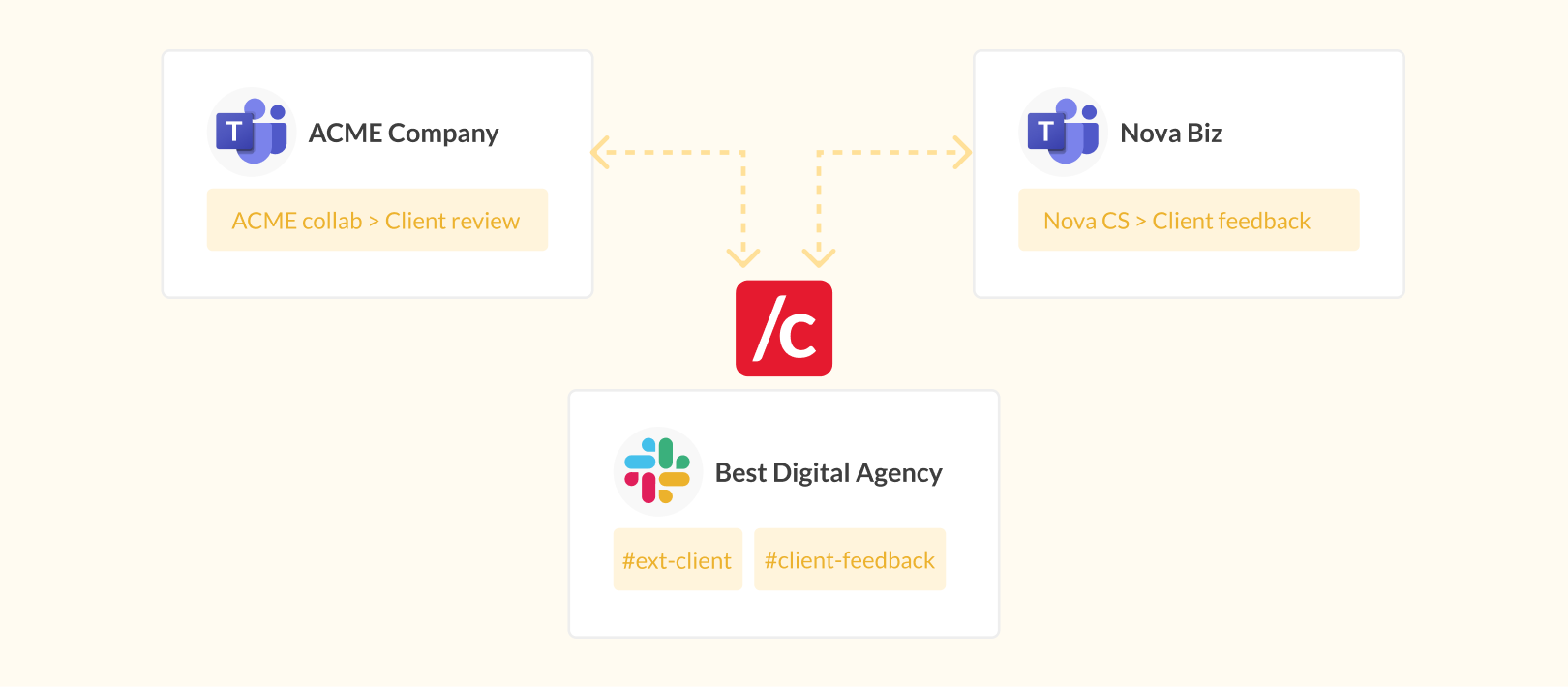
That’s exactly what Conclude enables with Connect for External Collaboration, which links your Slack or Teams channels and chats with your clients in real time, without forwarding messages or managing duplicate threads. It’s the solution most agencies reach for first, since most agency-client relationships start with one or two shared channels rather than a whole partner network.
Conclude Connect for external connections enables channel links between Slack and Microsoft Teams, allowing teams to stay in sync without leaving their preferred platform. This functionality makes it especially useful for fast-moving digital agencies juggling multiple tools and clients.
With Conclude Connect, you can:
- Link Slack and Teams channels and chats – enabling two-way messaging across connected channels without switching platforms
- Chat bi-directionally – messages appear instantly in both Slack and Teams, so communication flows both ways in real-time
- Stay on your preferred platform – clients keep their preferred messaging platform, and you use yours
- Be confident that messaging is secure – Conclude is HIPAA and SOC2 Type II certified, so all communication stays secure
- Enjoy a simple setup with only one licence – admins can configure everything in around 15 minutes, and the invited company doesn’t need a Conclude licence to access the channel connection
Learn more about the different ways to set up external channel connections with Conclude.
Bridge – Set Up an Intercompany Bridge
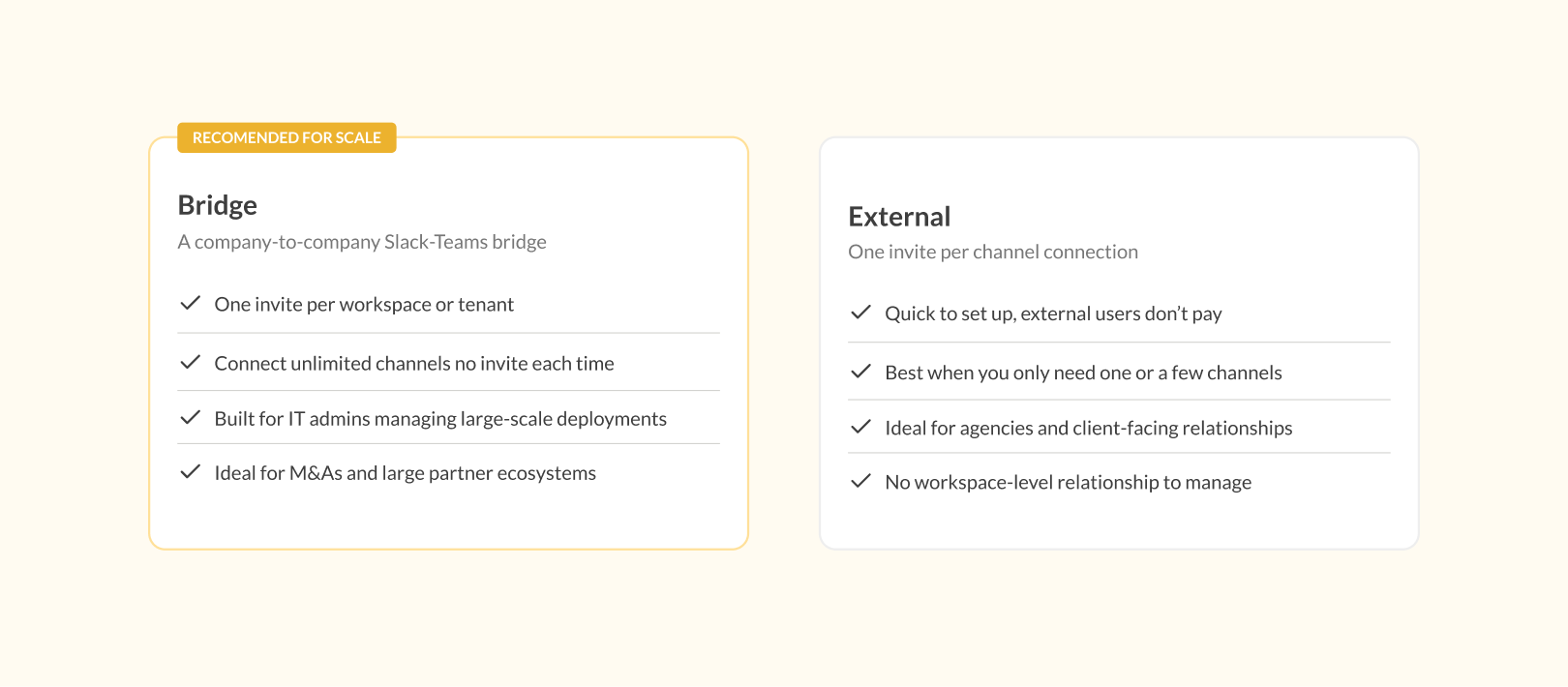
For agencies managing a large or established partner network, Conclude’s Bridge is worth a look. Rather than setting up individual channel connections one at a time, Bridge connects multiple channels between two companies using a single invite, making it a better fit for mature, long-term partnerships once a relationship has grown beyond a handful of shared channels.
With Bridge, you can:
- Send one invite per workspace or tenant – rather than setting up connections channel by channel
- Connect unlimited channels – between the two companies, once that single invite is accepted
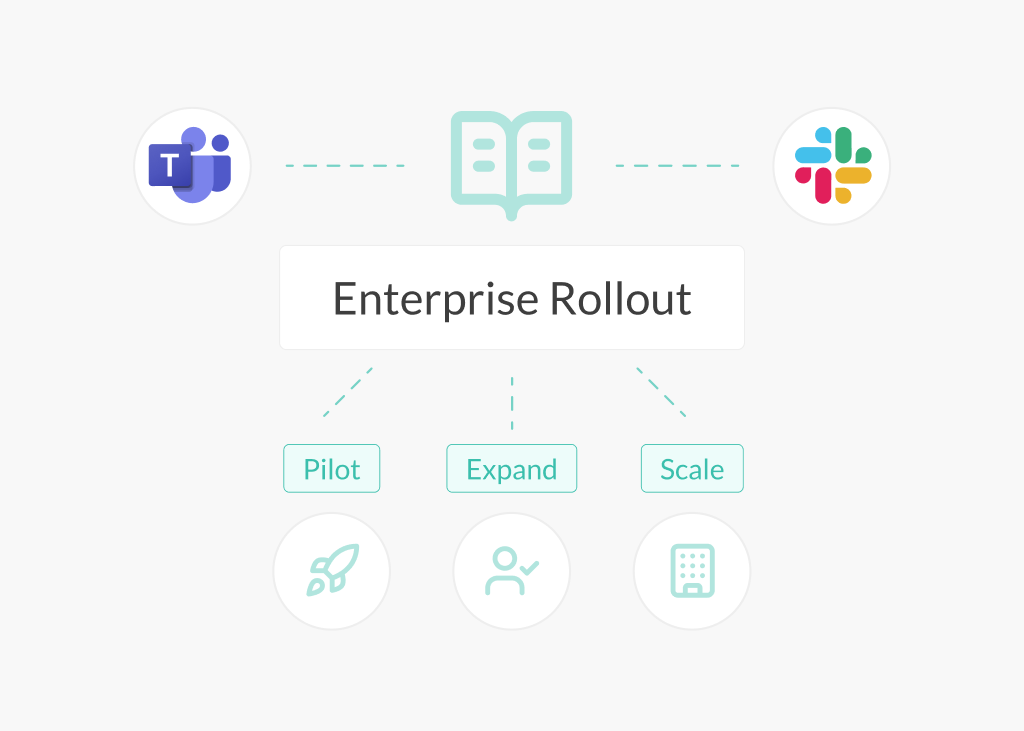
- Support large-scale rollouts – built for IT admins managing multi-team or company-wide deployments
- Manage mature partnerships – ideal for long-established partner ecosystems
Bridge requires a Conclude license agreement on both sides of the connection and it is part of our Enterprise solution (see Pricing).
Learn more about how Bridge differs from Connect for External Collaboration for agencies.
Why Conclude Apps are Built for Agency Collaboration
Conclude Apps are also designed to support how agencies and clients actually work together. Instead of treating communication and execution as separate layers, Conclude brings them together.
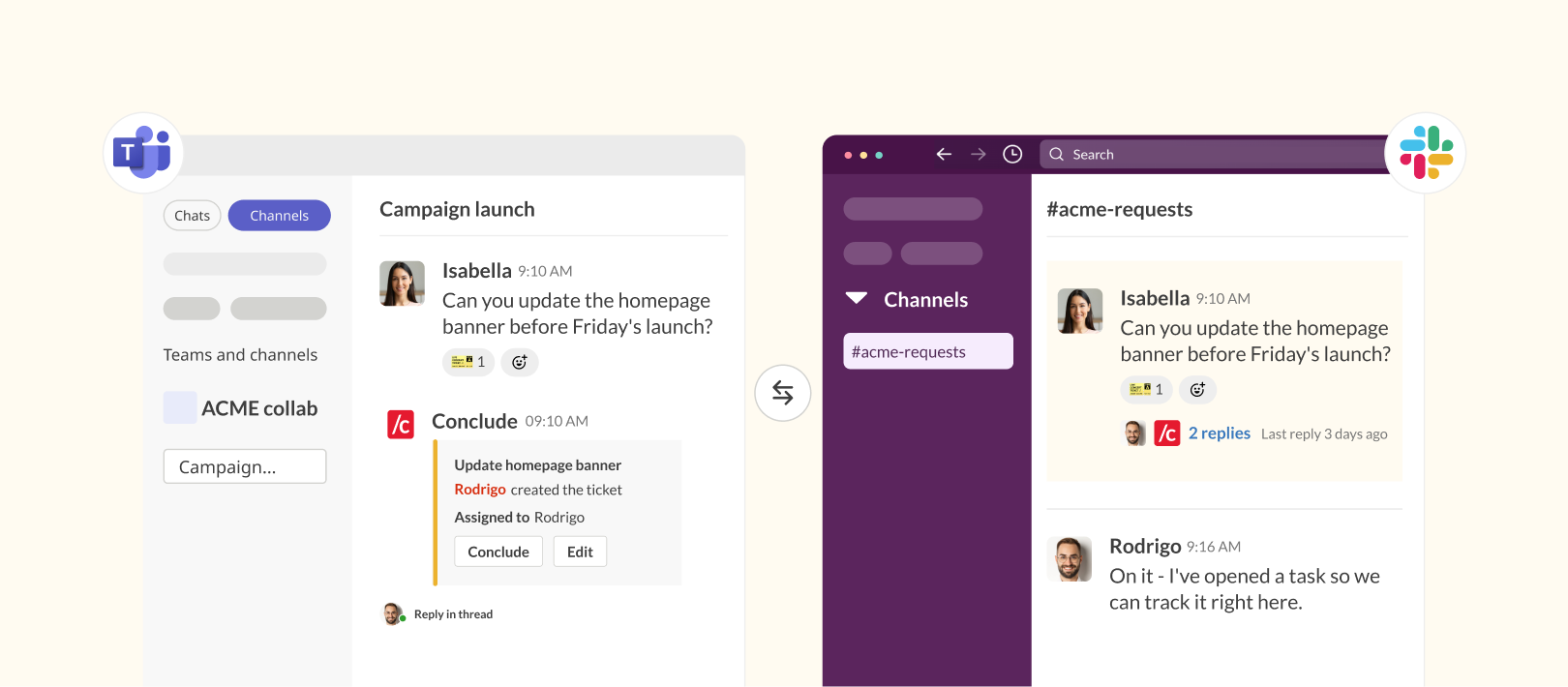
After connecting Slack and Teams for cross-platform messaging, apps can be installed on a Slack or Teams channel (only one side needs the app installed). Linked channels will then support task and ticketing workflows directly from chat that keep requests, updates, and tasks aligned across both platforms.
It brings communication, workflows, and coordination into one connected environment across Slack and Microsoft Teams.
Using Apps and Connected Apps, agencies can:
- Collaborate across platforms – work seamlessly across Slack and Microsoft Teams without changing tools or disrupting existing workflows
- Use conversational ticketing workflows – turn requests, approvals, tasks, and feedback into structured workflows directly inside conversations using a ticket emoji
- Stay aligned with bi-directional synchronization – messages, workflow updates, and activity stay in sync across platforms in real-time
- Gain shared operational visibility – track requests, ongoing work, and collaboration progress without relying on scattered tools or manual updates
- Work within one platform and one license model – manage projects from your existing Slack or Microsoft Teams environment, without requiring clients to adopt new tools or purchase additional licenses
Combining cross-platform communication with structured workflows gives agencies a more complete way to manage client collaboration, from first request to final delivery.
How to Set Up External Collaboration for Your Agency
Setting up Connect – External is simple, and you can add Conclude Apps for ticketing whenever you’re ready. First, you will need to sign up for a Conclude account.
For step-by-step instructions and configuration details, see the Connect – External quickstart guide. If you also want ticketing synced across both platforms, the Connected Apps quickstart guide covers that setup too. Here’s an overview of the setup:
- Install the app and connect your channel – add a Conclude app to your Slack or Microsoft Teams channel and connect it to your client’s channel. You can do this in either order, and it will sync automatically once both are in place
- Invite your client to connect – send a connection request via email for your client to link their Slack or Teams channel with yours (this setup guide is useful for clients)
- Client accepts the connection – your client (IT admin) reviews and approves the request from their side. Once accepted, both channels are connected and synced
- Start collaborating – you can now communicate, manage requests, and track work together across both platforms
Both sides continue working on their own tools while staying connected. For more information about what permissions Conclude needs and how external connection requests work, see this article.
Final Thoughts
Agency-client collaboration has changed. When communication is split across platforms, agencies don’t just lose messages; they lose visibility into the work itself. And when collaboration relies only on chat, things start to fall through the cracks.
Connect – External brings communication and collaboration together, and Conclude Apps layers on structured ticketing when you need it. It allows agencies and clients to work across Slack and Microsoft Teams while managing requests, tracking tasks, and handling feedback in one connected setup. Conversations stay linked to the work, and updates stay visible to everyone involved.
This means requests don’t get lost in chat threads, workflows stay structured and trackable, feedback, approvals, and tasks remain connected, and teams stay aligned without switching. And clients don’t need to adopt new tools or purchase licenses to collaborate; they stay in their own Slack or Microsoft Teams environment, while agencies manage work from theirs.
If you’re managing agency-client collaboration across platforms, this is the difference between keeping conversations connected and actually keeping the work on track.
Ready to improve how you collaborate with clients across platforms? Explore Connect for External Collaboration or see how Conclude Apps supports structured tasks and ticketing. Get started for free to see Conclude in action.
Frequently Asked Questions
What is agency-client collaboration?
Agency-client collaboration refers to how agencies and clients work together across communication, workflows, and delivery. It goes beyond messaging to include managing requests, sharing feedback, tracking progress, and coordinating tasks. Effective collaboration means both sides stay aligned and have full visibility into the work, regardless of the tools they use.
How can agencies improve client communication in Slack and Teams?
Agencies can improve collaboration by reducing the need to switch between tools. When clients use Microsoft Teams and the agency operates on Slack, teams often resort to email or manual message forwarding to stay aligned. Instead, they can use tools like Conclude Connect to link Slack and Teams chats and channels directly, so both sides communicate from their preferred platform without duplication or delay.
What are the main challenges of cross-platform collaboration between agencies and clients?
The biggest challenges include fragmented communication, duplicated work, missed updates, and limited visibility into workflows. When conversations, requests, and approvals are spread across different tools, teams lose context, and coordination becomes harder. This often leads to delays, misalignment, and a poor client experience.
Can Slack be used as a ticketing system for agency-client requests?
Slack can support basic ticketing workflows using integrations or apps, but on its own, it’s not designed for structured request management. Messages can easily get lost in busy channels, making it difficult to track progress or ownership. Adding conversational ticketing tools helps turn messages into trackable requests without leaving Slack.
What are the best practices for agency-client communication in Slack and Teams?
Clarity, consistency, and visibility matter most. Agencies should meet clients on the platforms they already use, avoid duplicating conversations across tools, and ensure updates are easy to track. Combining communication with structured workflows, such as ticketing and task tracking, helps keep work organized and reduces the risk of missed requests or delays.
What tools facilitate better communication between agencies and clients?
It depends on your setup, but common tools include Slack, Microsoft Teams, Google Chat, project management platforms (such as Asana or Jira), and collaboration software like Conclude Connect. The key isn’t just the tool itself, but how well it integrates into your workflow – minimizing switching, syncing updates, and making sure nothing gets lost.